
Multi-Drone Takeoff/Landing
This feature primarily addresses potential collision and incorrect dock landing issues that may arise during takeoff and landing when docks are deployed closely. You can enable or disable this feature here. When enabled, the system will automatically group docks based on their deployment locations and automatically schedule docks during task performance.
- Only DJI Dock 3 supports the multi-drone takeoff/landing feature.
1. Dock Auto-Grouping Conditions
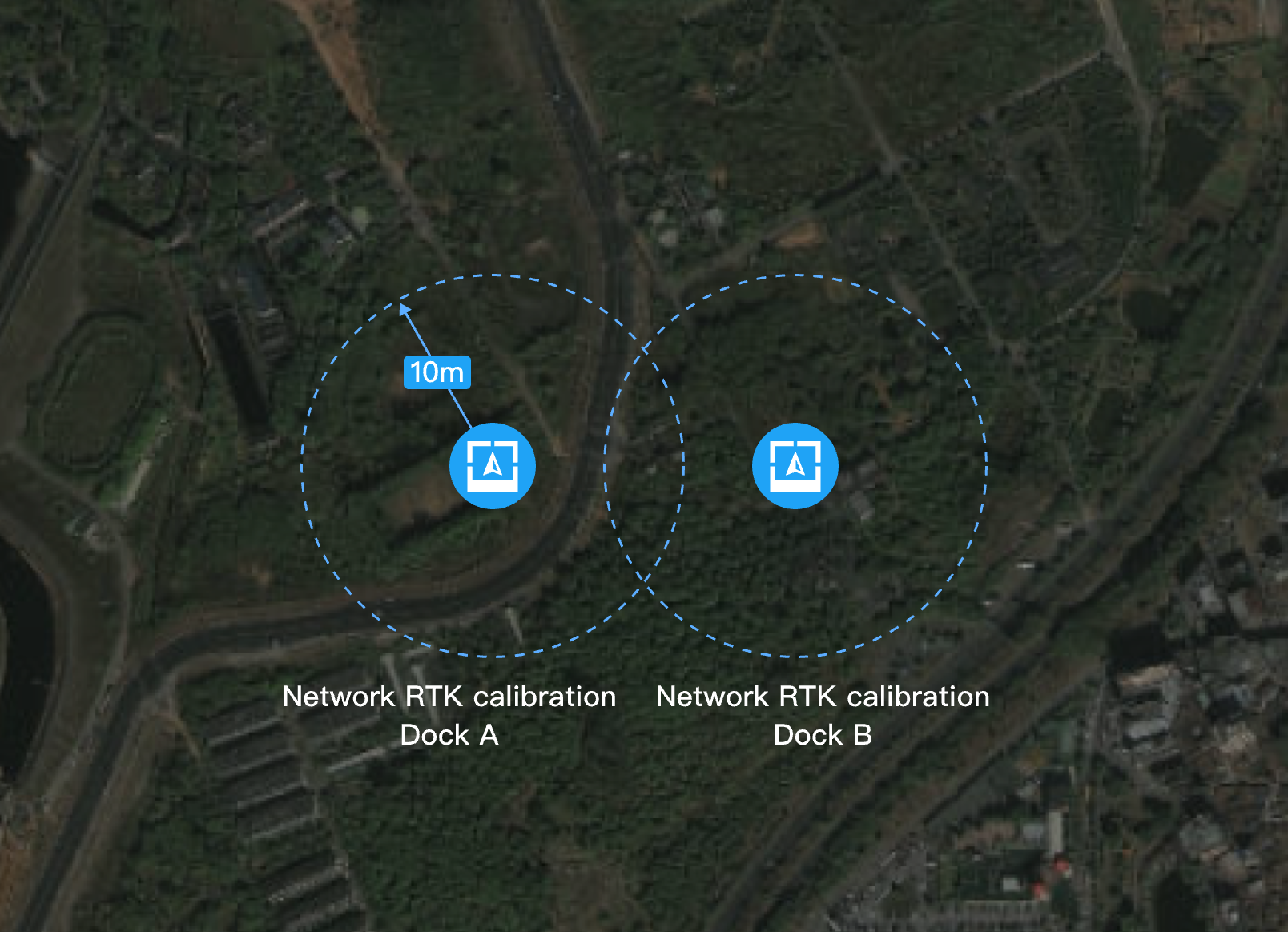
Scenario 1: For docks whose locations are calibrated through network RTK and deployed within 20 meters, a circular area with a 10m radius is defined as the takeoff/landing area for each dock. Docks with overlapping takeoff/landing areas will be automatically grouped.
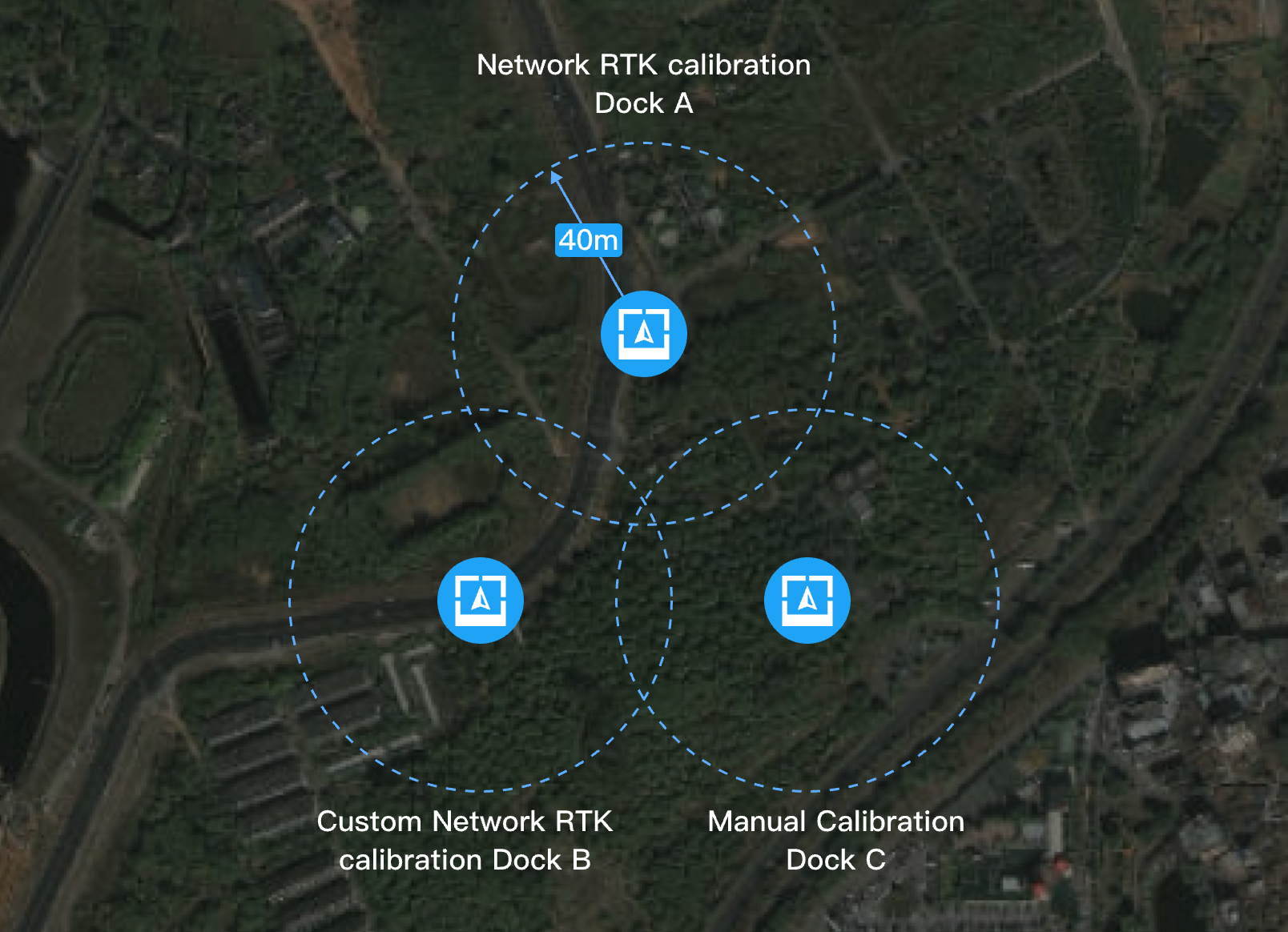
Scenario 2: For docks whose locations are not calibrated through network RTK, but through GNSS, manual calibration, or custom network RTK, and deployed within 80 meters, a circular area with a 40m radius is defined as the takeoff/landing area for each dock. Docks with overlapping takeoff/landing areas will be automatically grouped.
2. Takeoff and Landing Scheduling
1. Takeoff Scheduling
Before an aircraft takes off, the system will first check if any other aircraft in the dock group is taking off or landing. If so, the aircraft will wait until the takeoff/landing area is available. If not, the aircraft will take off and occupy the takeoff/landing area in the group. The area will be released only after the aircraft leaves the takeoff/landing area.
2. Landing Scheduling
When an aircraft is returning home, upon returning to the takeoff/landing area or requesting to open dock covers, the system will check if any aircraft in the group is taking off or landing.
- If the takeoff/landing zone is occupied, the aircraft will hover at the edge of the area, waiting for the area to be available. The aircraft will continue to return home if the battery is low.
- If the takeoff/landing area is not occupied, the aircraft will continue returning home and request the dock to open the covers. The area will not become available until the aircraft completes landing and the dock closes the covers.
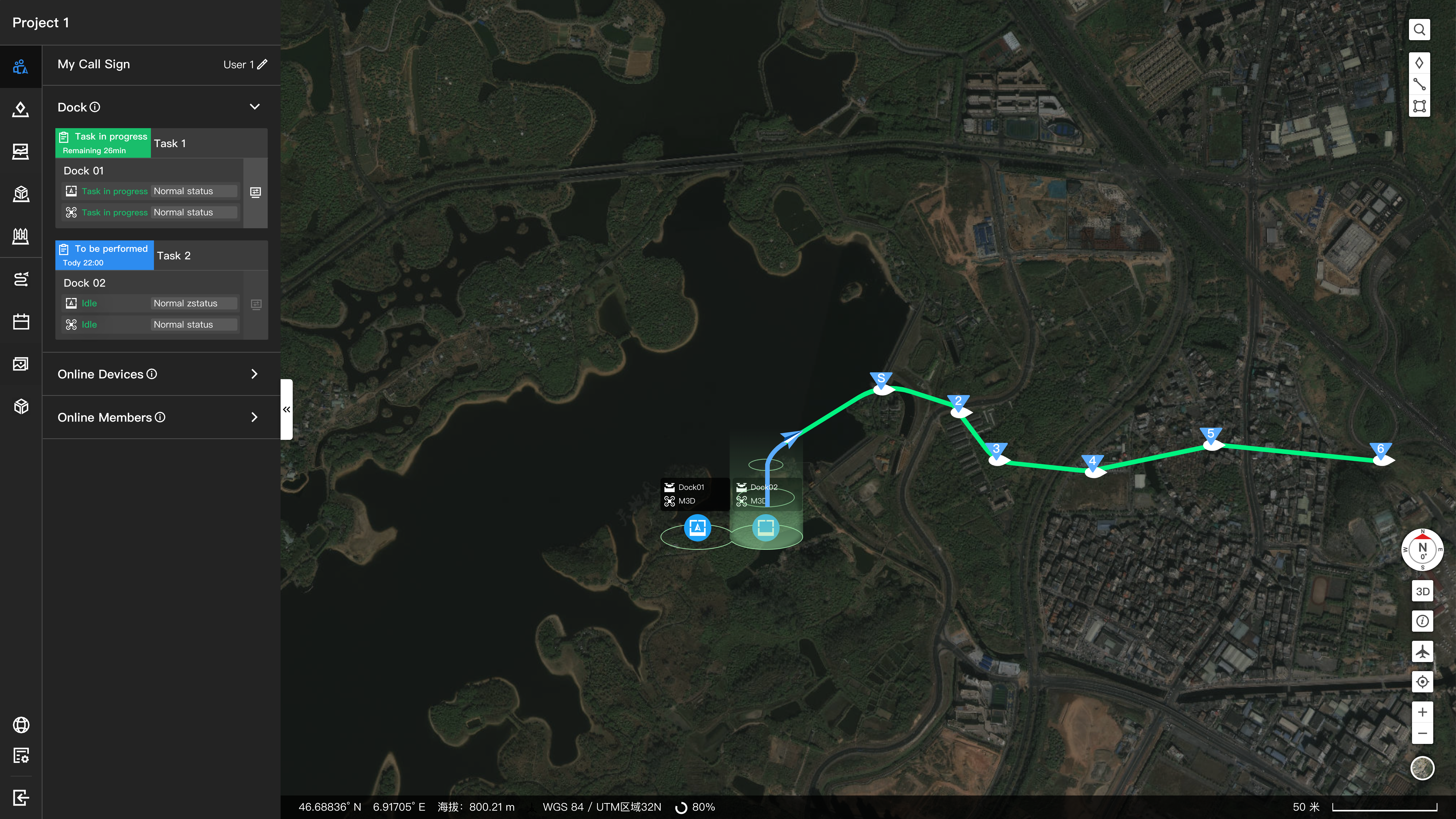
During tasks, you can view the status of the takeoff/landing area on the map.
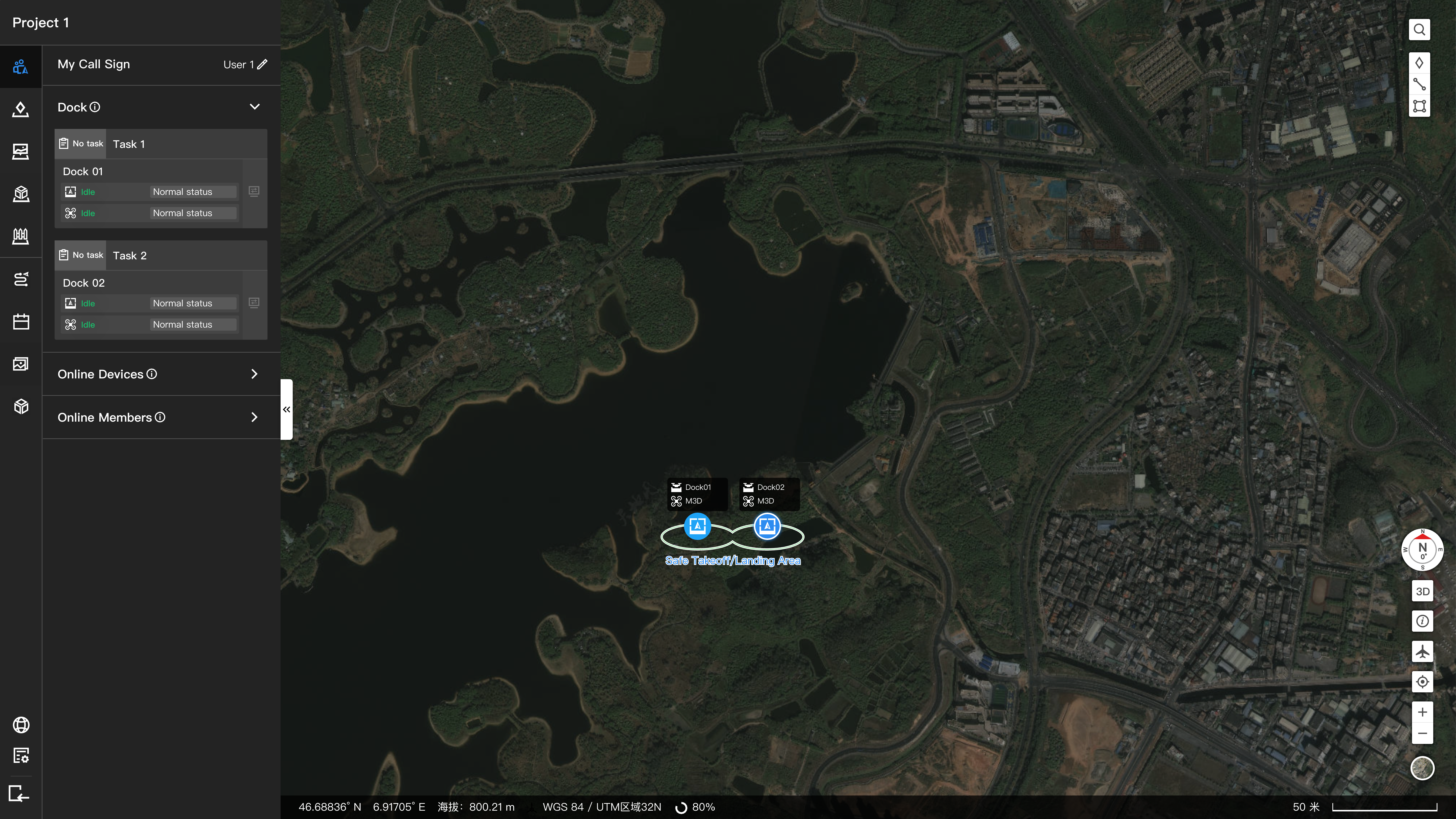
You can also click on the dock on the map to view the grouping status in the takeoff/landing area.
- Remote debugging or opening the covers on-site does not affect the occupancy status of the takeoff/landing area, but it may impact the takeoff and landing process of other aircraft. Exercise caution when debugging if there are aircraft operating nearby.
3. Exceptional Situations
- After a flight task ends, if the covers do not close properly, the takeoff/landing area that is occupied will not be released automatically. In this case, the covers need to be closed via remote or on-site debugging so the area can become available. Reasons for the covers not closing after task performances include but are not limited to:
- Abnormal operation of the dock cover's mechanical structure.
- The dock was already in remote or on-site debugging with the covers open before the flight task was distributed.
- If the dock goes offline before the aircraft takes off and leaves the takeoff/landing area or after occupying the area during landing, the message to release the area cannot be sent. The area will continue to be occupied until communication is restored or the occupation times out after 30 minutes.