
Analyzer Data Management
Model Management
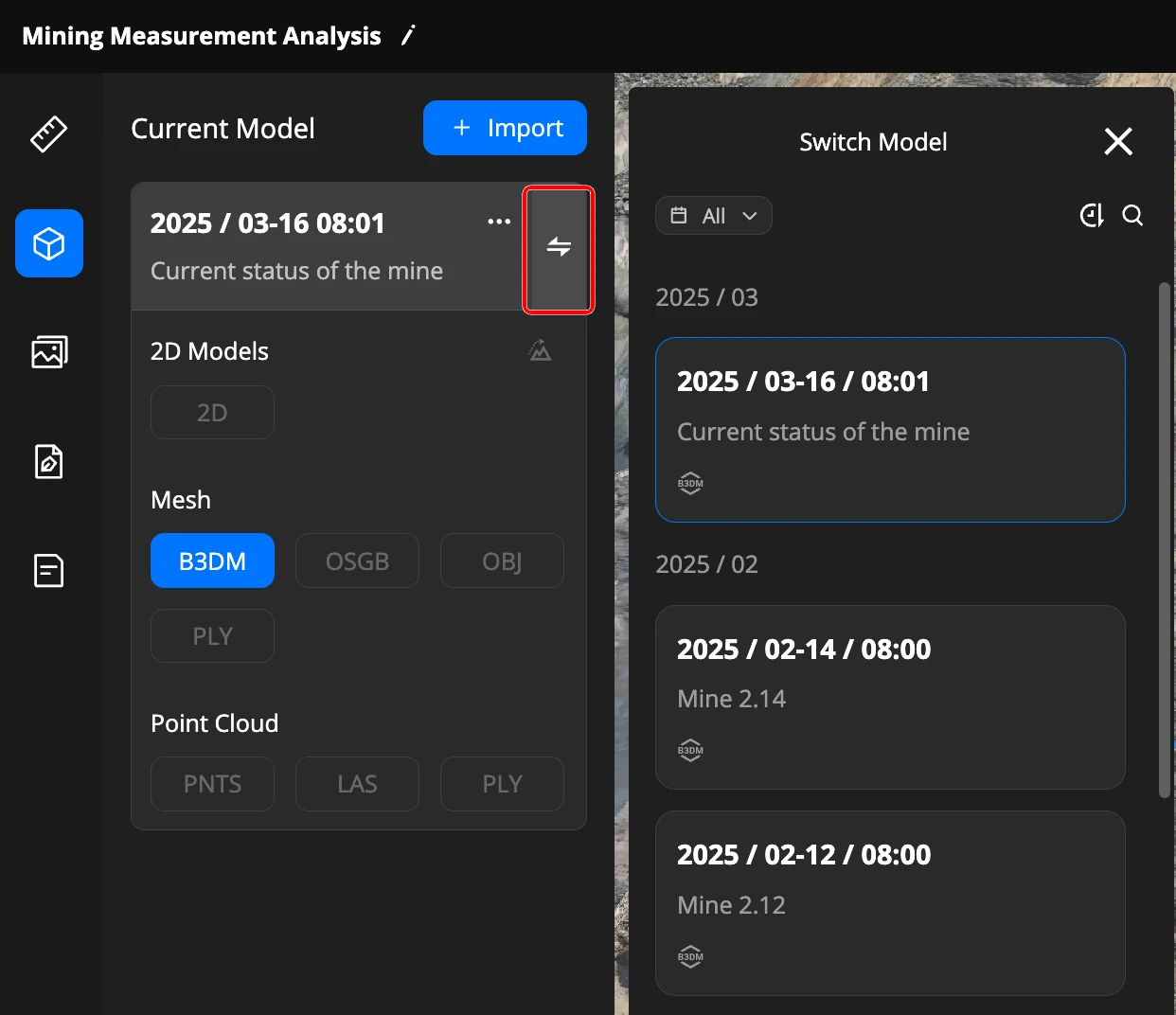
Models created in different formats from the same data source are grouped together in the analyzer.
The analyzer uses a "current model" concept. The current model is displayed on the map, and measurement functions are based on the current model.
You can switch the current model among those imported into the analyzer, click  to view the list.
Model Elevation Calibration
You can now select a model elevation calibration point within the analyzer and set its target elevation. The surface elevation of all models in the analyzer (including future imports) at the specified location will be calibrated to the target elevation.
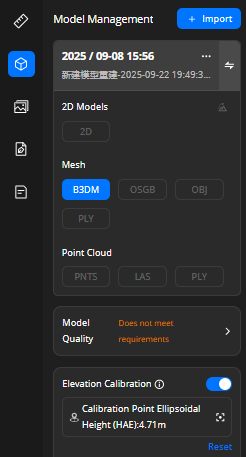
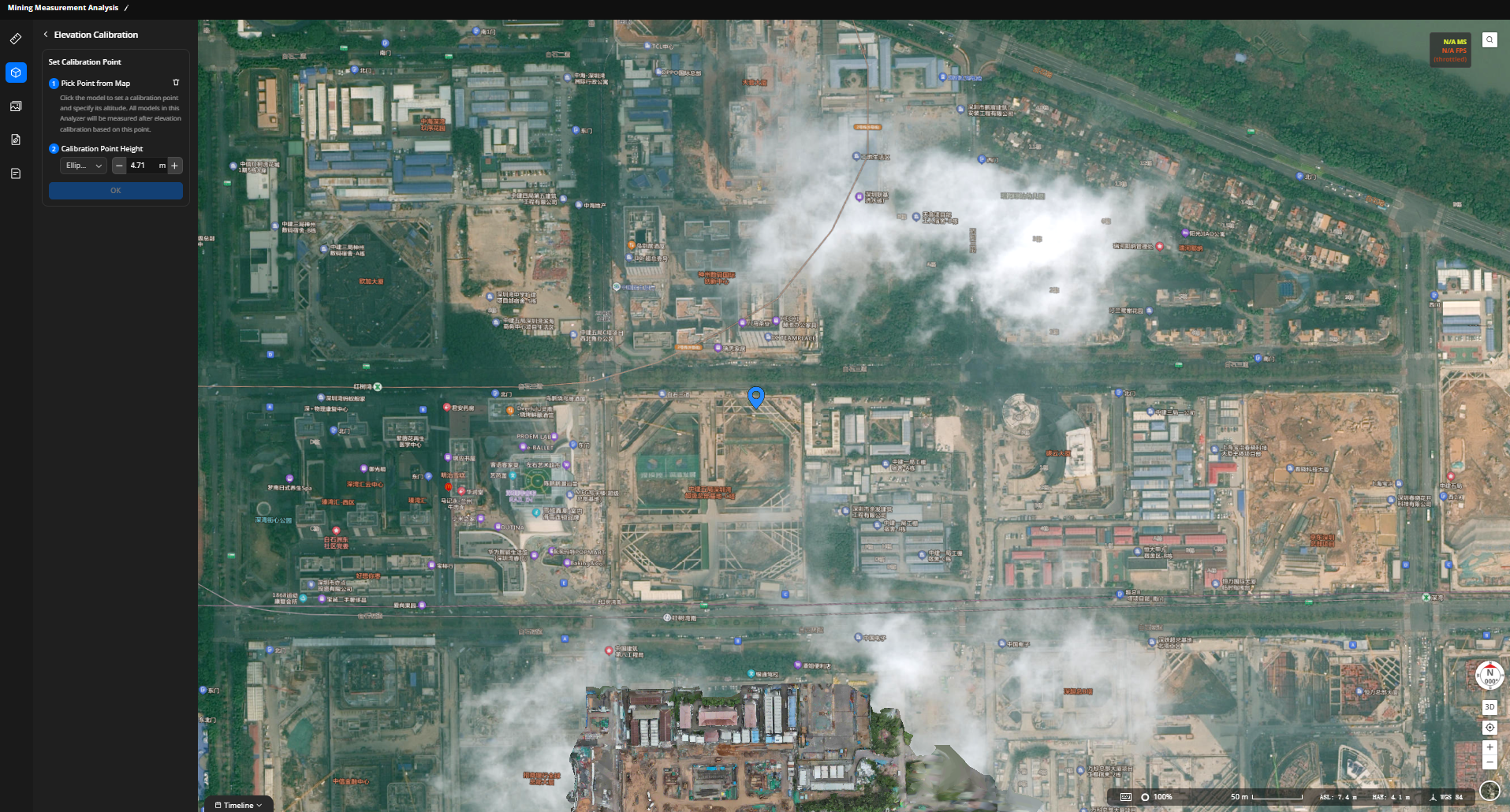
All measurement tools will perform calculations based on the calibrated model elevation.
Note: The elevation value displayed in the bottom-right corner when hovering the mouse over the map currently shows the pre-calibration elevation.
Media File Management
After entering the analyzer, project members can click on media management to import and manage media files.
Click the "Import" button to enter the media import page;
After selecting the file or folder that needs to be imported, click
 Import;
After successful import, the file will be displayed under "Media Management".
- Note:
- Media file capabilities: Timeline view, rename, remove, and toggle media file visibility on the map;
- Media file list features: Time filtering, sorting, and search.
Design File Management
After entering the analyzer, project members can click on media management to import and manage media files.
Click the "Import" button to enter the media import page;
After selecting the file or folder that needs to be imported, click
Import;After successful import, the file will be displayed under "Design Files".
- Note:
- Basic capabilities: Geographic location calibration, recenter, rename, remove, and toggle visibility on the map;
- Design file list features: Time sorting, search, and file type filtering;
- PDF advanced settings: Supports color and transparency modification.