
SuperPhoto Pano
SuperPhoto Pano
SuperPhoto Pano is a high-resolution panorama image technology based on cloud processing. It uses the aircraft’s telephoto lens (3x) to capture groups of high-resolution local photos, which are then stitched together on the cloud to generate a high-definition sphere panorama with a 500 million resolution. Compared to standard wide-angle panorama, SuperPhoto Pano significantly improves detail clarity, suitable for detailed inspection tasks in AEC (architecture, engineer, construction) and dock operations. This feature is in public beta testing for a limited time.
- Note: This feature is supported on DJI Dock 3 and DJI Matrice 4 Enterprise Series.
Task Modes
1. Real-time virtual cockpit capture
After obtaining flight control via the remote controller or DJI FlightHub 2 virtual cockpit, manually trigger SuperPhoto Pano shooting.
- Enter camera view: In the cloud operating interface, ensure that flight control has been obtained.
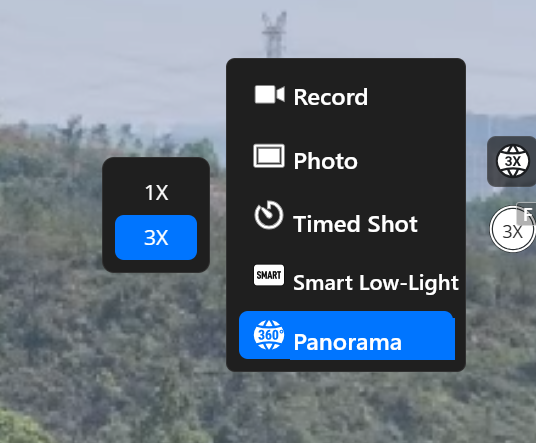
- Select shooting mode: In camera settings, select Pano mode.
- Switch Pano type: In the Pano submenu, select SuperPhoto Pano (3X).
- Take photo: Tap on the photo button. The aircraft will automatically rotate the gimbal and use the telephoto lens to capture a set of local photos.
2. Flight task distribution
You can preset SuperPhoto Pano actions in flight route editor:
- Create or edit flight route: Enter the flight route library, and create or edit a flight task.
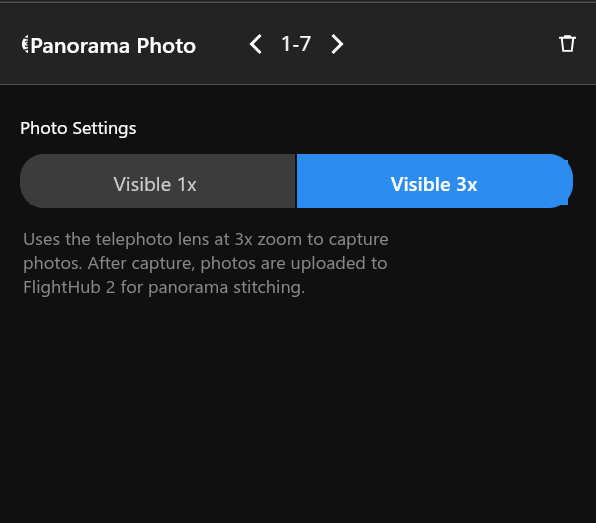
- Add action: In waypoint action settings, add “Pano” action, and select “3X”.
- Distribute task: After saving the flight route, distribute the task through task plan library to dock or aircraft for processing. After editing, cloud users can distribute tasks through task plan library to enable fully automated data collection.
Cloud Processing and Viewing
Automatic Stitching and Manual Stitching
- After shooting is complete, original photos are automatically uploaded to the cloud media file library. The cloud detects a high-resolution panorama task and then automatically stitches the photos.
- Alternatively, you can manually start high-resolution panorama stitching by selecting folders in the media file library.
View and Share
- The final high-resolution panorama can be viewed and shared in media file library
- You can import an analyzer to view media file timeline.
Notes on On-premises Version
For the Private Version, considering memory limitations, the resolution is compressed from 500 million pixels to 390 million pixels.