Custom Flight Area
Project administrators can click  to enter the Task Area Management and manage the custom task areas and GEO Zones.
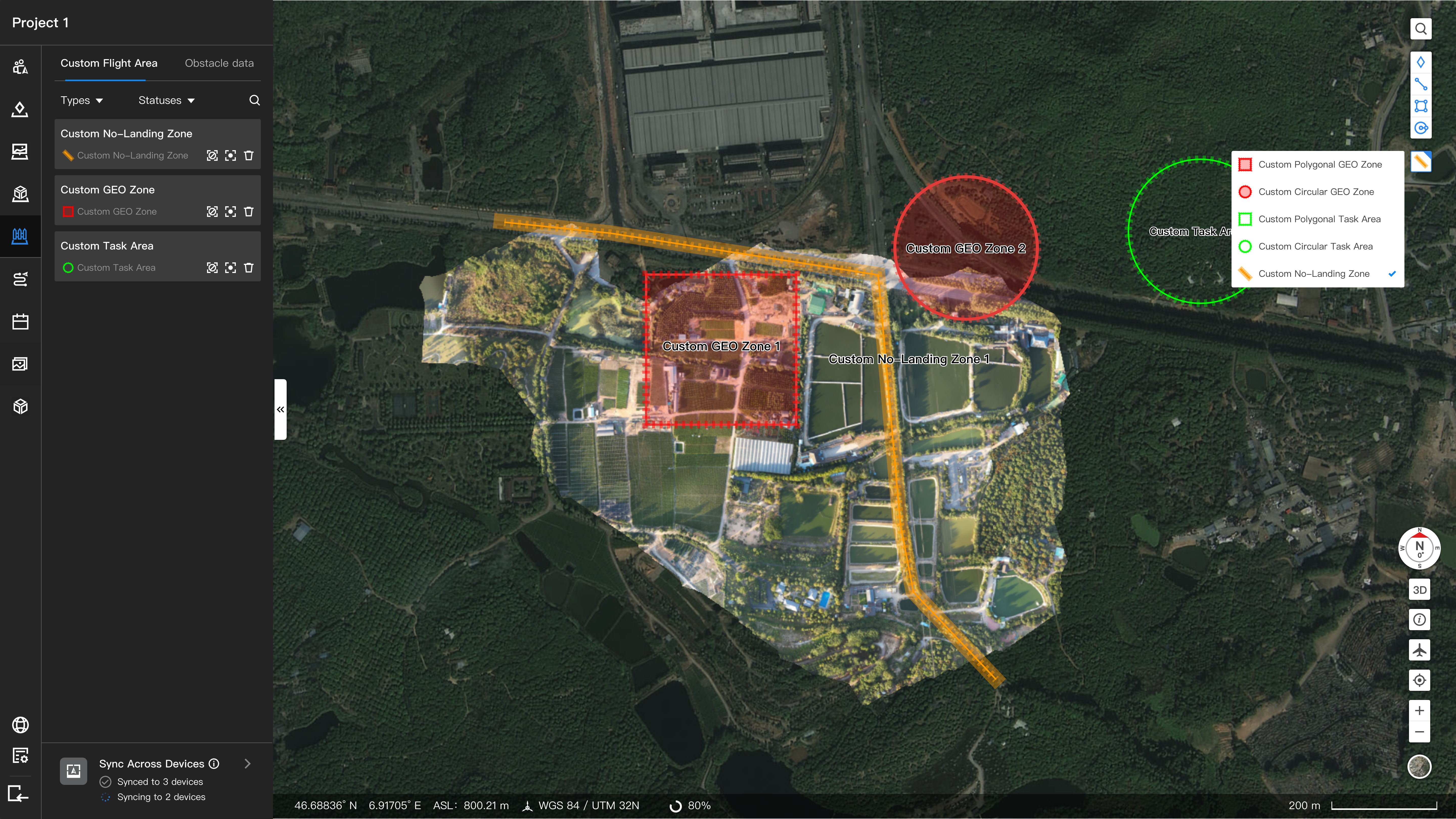
Administrators can click  to create custom flight areas. The types of the custom flight areas include:
- Polygonal or circular task area: The aircraft can perform tasks in the area and cannot take off when it is outside the area or within 10 meters of the area boundary.
- Polygonal or circular GEO Zone: The aircraft cannot enter the GEO Zone, nor take off when it is inside the GEO Zone or within 10 meters of the zone boundary.
- Rectangular No-Landing Zone: The aircraft cannot automatically land within the no-landing zone. If an attempt is made to land while a pilot is manually flying the aircraft, or while the aircraft is performing a task, the aircraft will automatically plan the shortest path to exit the zone before landing.
- The custom task areas cannot overlap.
- If a dock is bound to a project and needs to perform tasks, the dock should be inside the custom flight area, and the distance between the dock and the boundary of the area should be less than 10 meters.
- A maximum of 255 vertexes can be added when creating a polygonal flight area. The minimum radius of a circular task area is 10 m.
- If the distance between the aircraft and the boundary of the custom flight area is less than 5 meters during a task, the task will be stopped and the aircraft will return home directly. Pay attention to the distance between the aircraft and custom flight area when planning a task.
- Users can manually draw rectangular no-landing zones, with a length range of 10 to 3000 meters and a width range of 10 to 100 meters. Up to 50 rectangular no-landing zones can be created for each project.
- Go to Map Task Area, right-click on a line annotation, and select Convert to custom No-Landing Zone. The system will automatically convert the line annotation into a no-landing zone.
- Note: When No-Landing Zones overlap and form a closed area, the closed area does not automatically become a No-Landing Zone. Only the original No-Landing Zones are considered effective. To ensure flight safety, adjust the width of the No-Landing Zones or reposition the endpoints to prevent overlaps.