Overview Dashboard
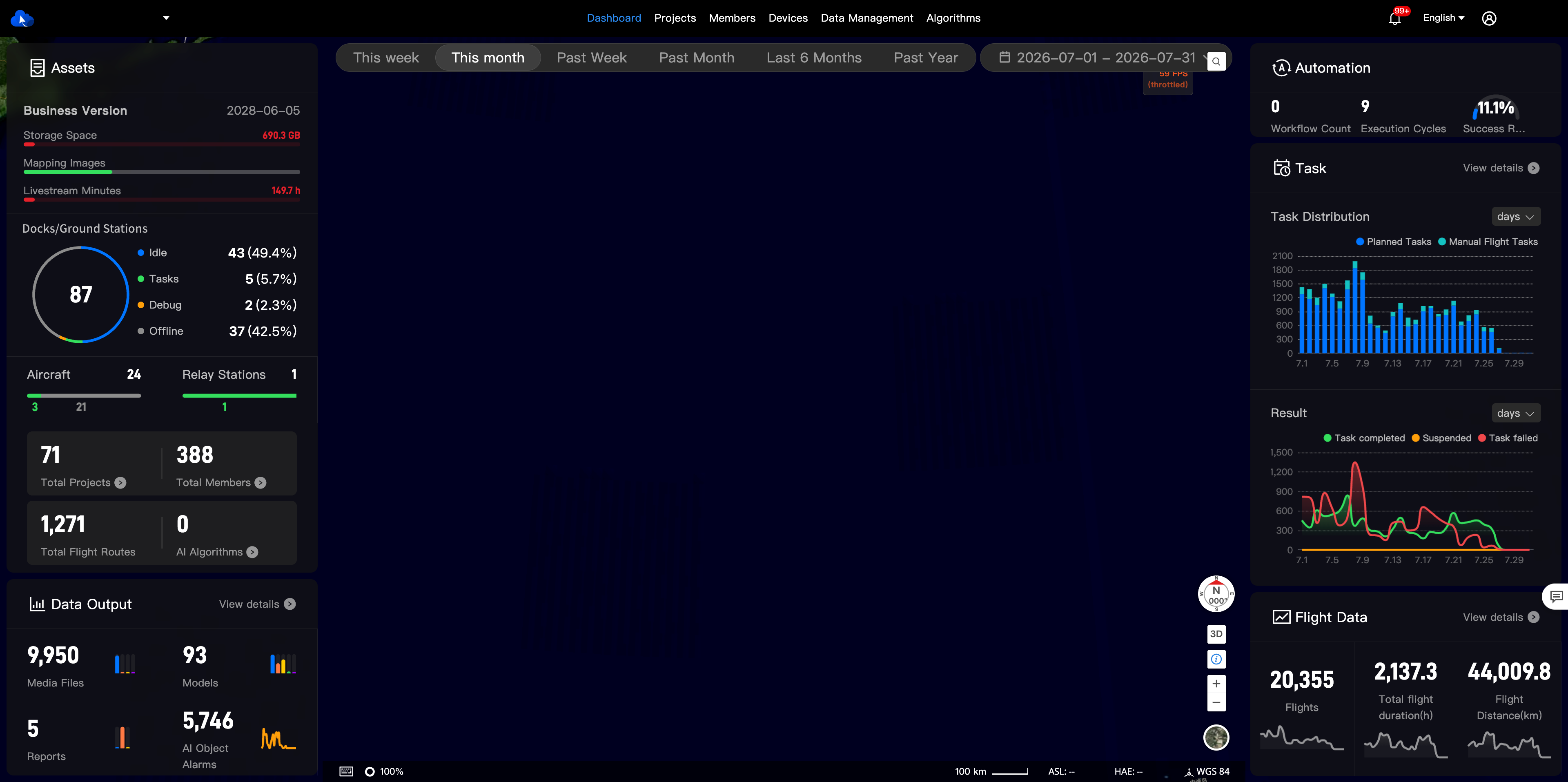
The dashboard provides a centralized, at-a-glance view of your organization's key operational data. Using intuitive charts and figures, it summarizes metrics for projects, members, devices, and automated tasks, offering valuable insights for management and decision-making.
Note: Access to the dashboard is limited to the organization's super administrators and administrators.
Dashboard Components
Time Filter
Provides quick filters for This Week, This Month, Past Week, Past Month, Past 6 Months, and Past Year, along with a custom date range option, making it easy to view data across different time periods.

Assets Module
1. Package and Resource Overview
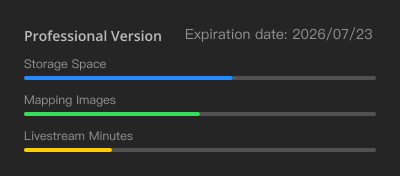
Tracks your organization's subscription plan details and resource consumption, including storage space, mapping images, and livestream minutes.
2. Device Status Distribution
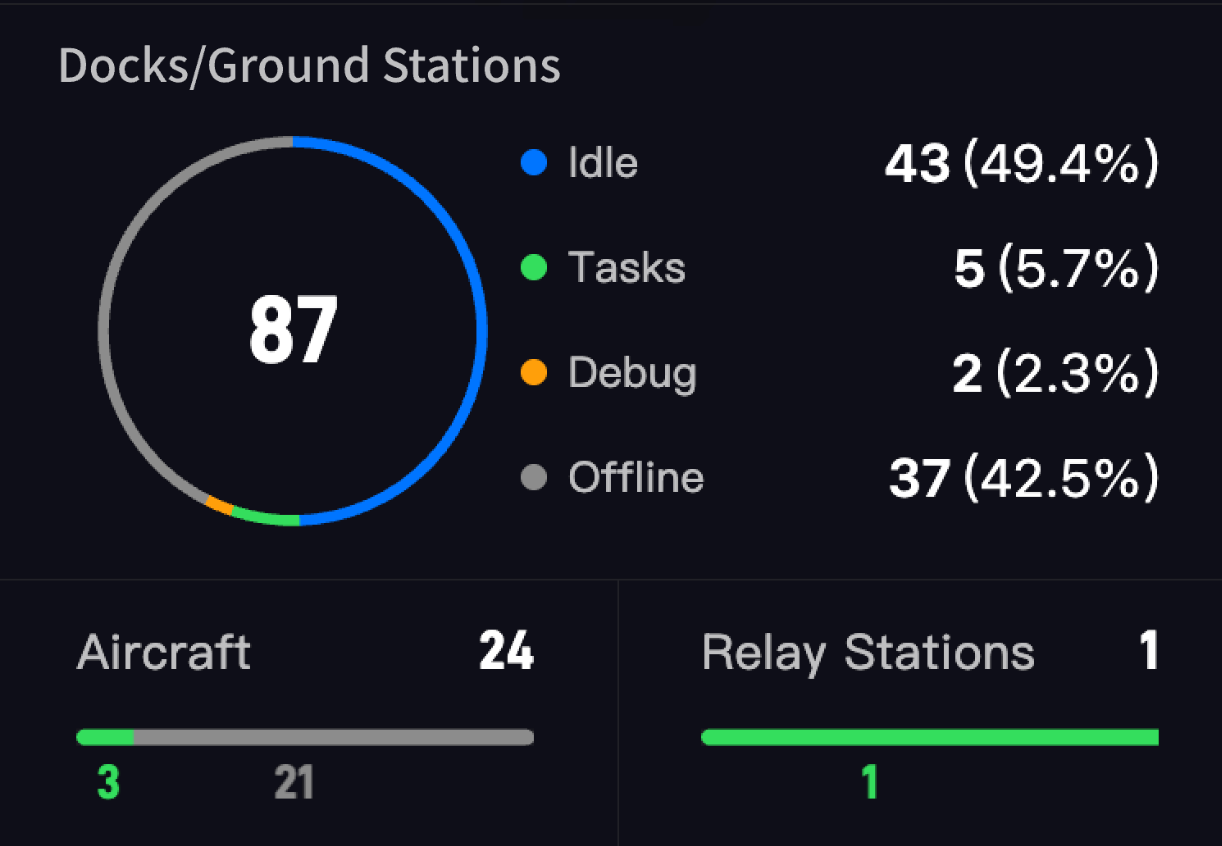
Dock Status: A donut chart shows the status distribution of all docks. The center of the chart displays the total number of docks.
Other Device Status: A separate donut chart shows the online/offline status of all other connected devices.
Status Descriptions:
| Status | Description |
|---|---|
| Idle | The device is idle. |
| In Task | A task is currently in progress. |
| Debug | The device is undergoing remote debugging, on-site maintenance, or a firmware update. |
| Offline | The device is offline or has been stopped by an on-site emergency command. |
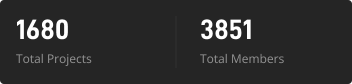
3. Projects & Members
Displays the total count of projects and members in the organization.
4. Flight Routes
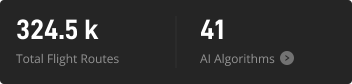
Displays the total number of planned flight routes across the organization.
5. AI Algorithms
Displays the total number of available AI algorithms.
Data Output Module
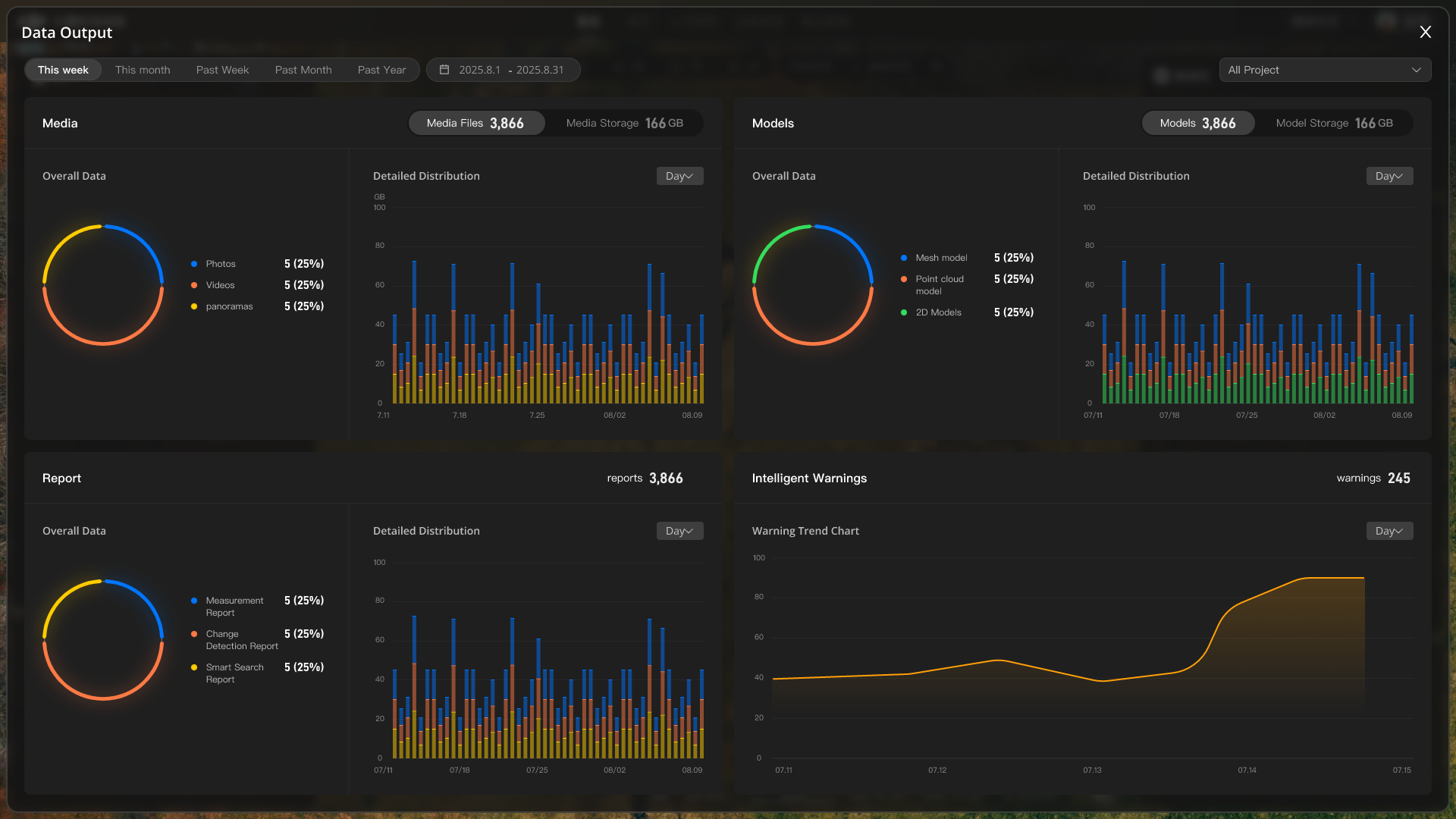
Summarizes key data outputs generated by your projects, including the total count of media files, models, reports, and AI object alarms. Click View Details to see a breakdown of data volume and storage distribution.
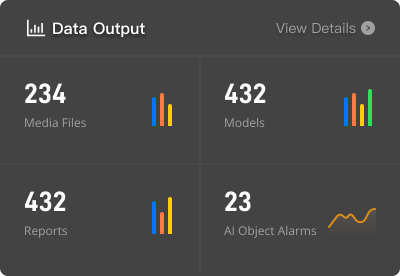
Click "View Details" to see a breakdown of data volume and storage distribution.
Automation Module
Tracks the scale and performance of your organization's automated workflows.
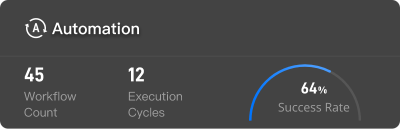
Parameter Description:
| Parameter | Description |
|---|---|
| Workflow Count | The total number of enabled automated tasks. |
| Execution Cycles | The total number of times an enabled automated workflow has run to completion. |
| Task Completion Rate | The percentage of completed cycles that ran successfully from start to finish. |
Task Module
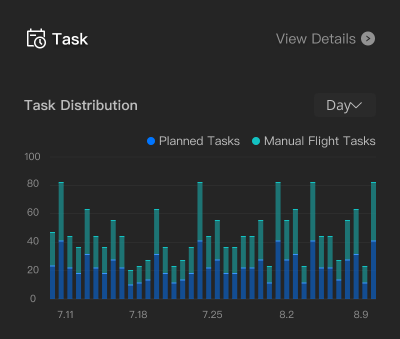
1. Task Distribution
A bar chart shows the distribution of planned tasks vs. manual tasks over time, helping you identify peak activity periods. Supports switching between Day, Week, and Month time dimensions via the dropdown.
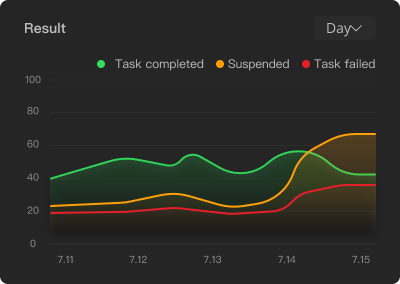
2. Task Outcomes
A line chart tracks the trends of task outcomes over time—Success (green), Suspended (yellow), and Failure (red)—to help you monitor overall task reliability. Supports switching between Day, Week, and Month time dimensions via the dropdown.
3. Device Task Gantt Chart
Click View Details in the Task Module to view the Device Task Gantt Chart.
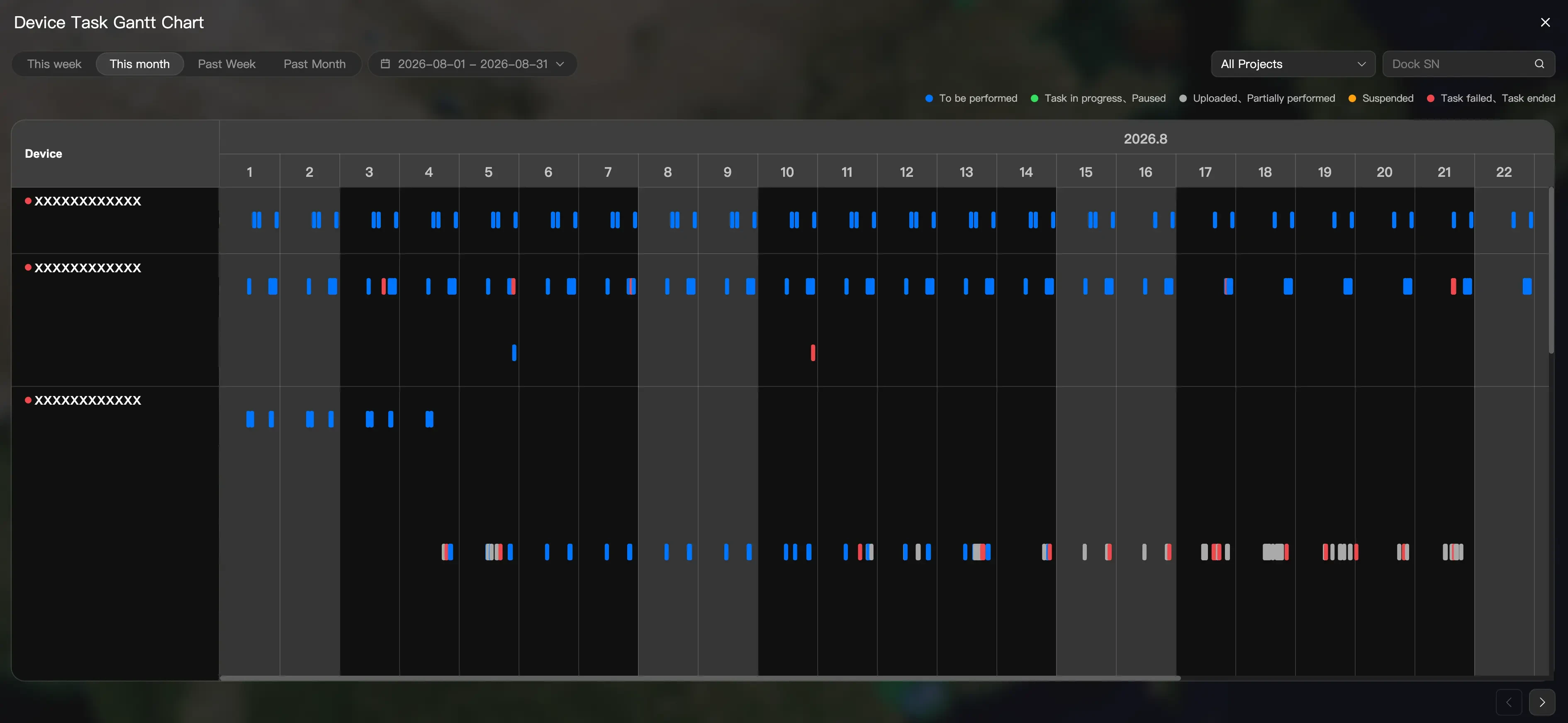
- Supports quick views for This Week, This Month, Past Week, and Past Month, as well as custom time ranges.
- Supports filtering by project.
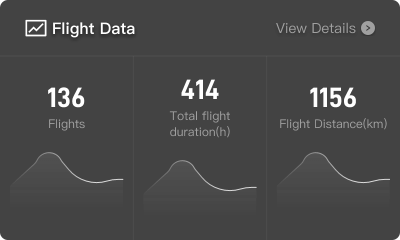
Flight Data Module
Summarizes key flight statistics, including the total number of flights, cumulative flight duration, and total flight distance.