
Model Change Detection
Model Change Detection
AI can detect and mark the regions of change between two 2D models that have overlapping area. Now available for free during our limited-time public beta.
New Task
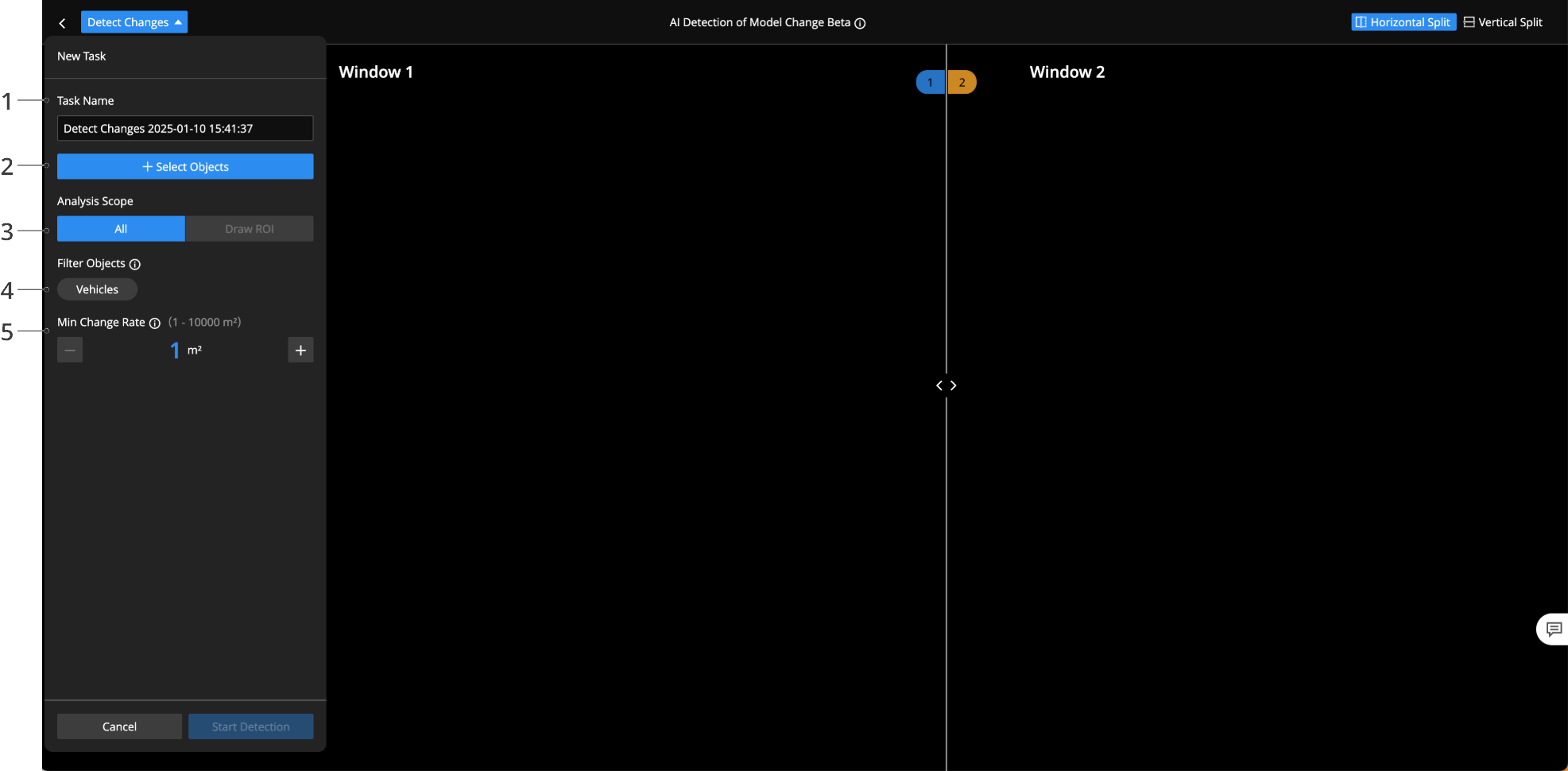
- Task Name: Enter the detection task name.
- Objects: Click Objects to select models.
- Analysis Scope: Supports drawing a region of interest, and only changes within this region will be detected.
- Filter Objects: If Vehicles is selected, vehicles will not be recognized as changes.
- Min Change Region: A region will not be considered a change if the area of the change region falls below the specified threshold.
Click Start Detection and wait for the detection to complete.
Viewing and Editing Results
After detection is complete, you can view the change regions marked by AI.
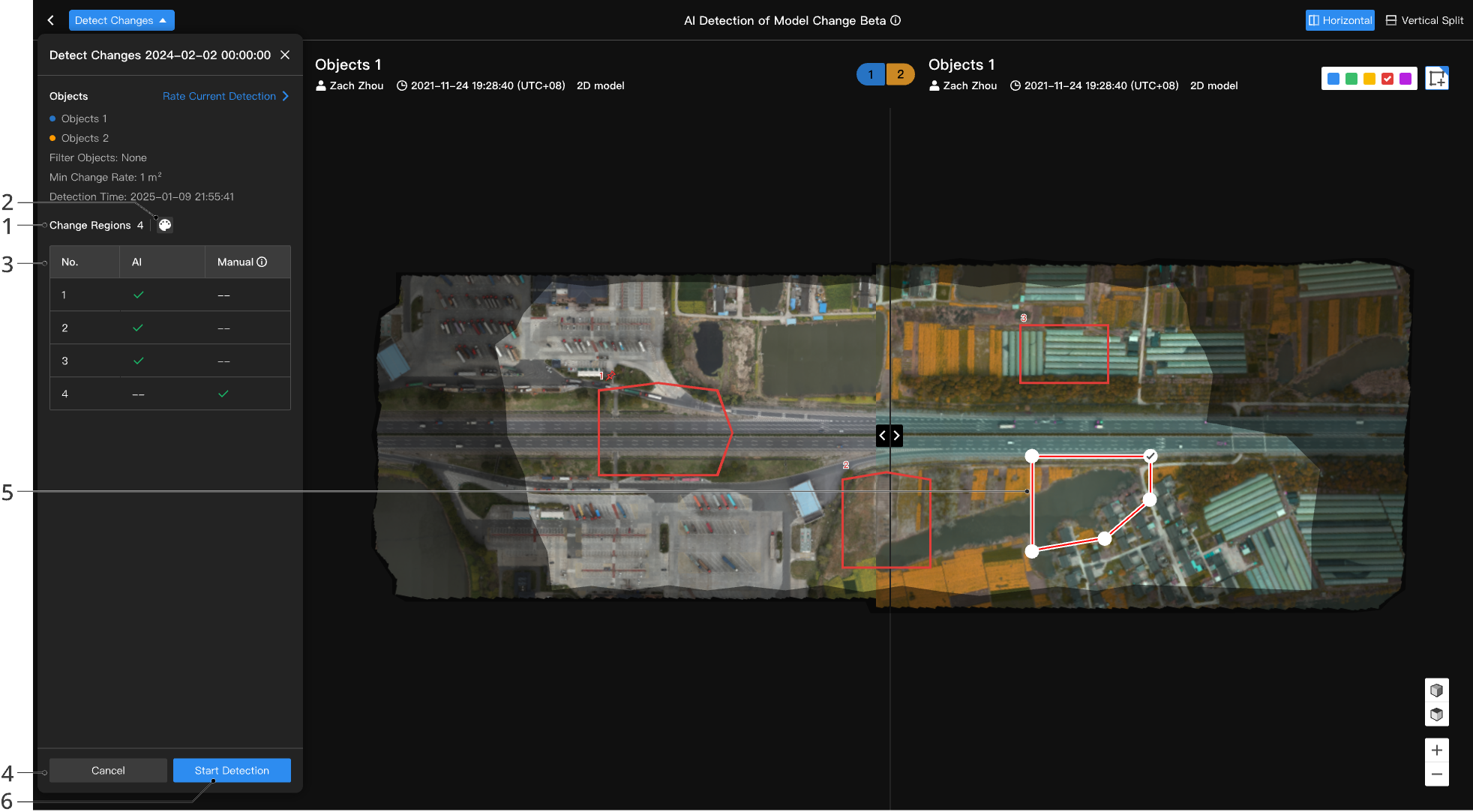
- Change Regions: Total number of change regions.
- Modify the color of all change regions.
- Change Area List: Displays whether each change is detected by AI, manually modified, or newly added.
- Detect Again: Detecting again will overwrite the current detection results.
- Result Editing: Supports editing of AI-detected change regions, including adding and deleting change regions, or modifying shapes, colors, or texts.
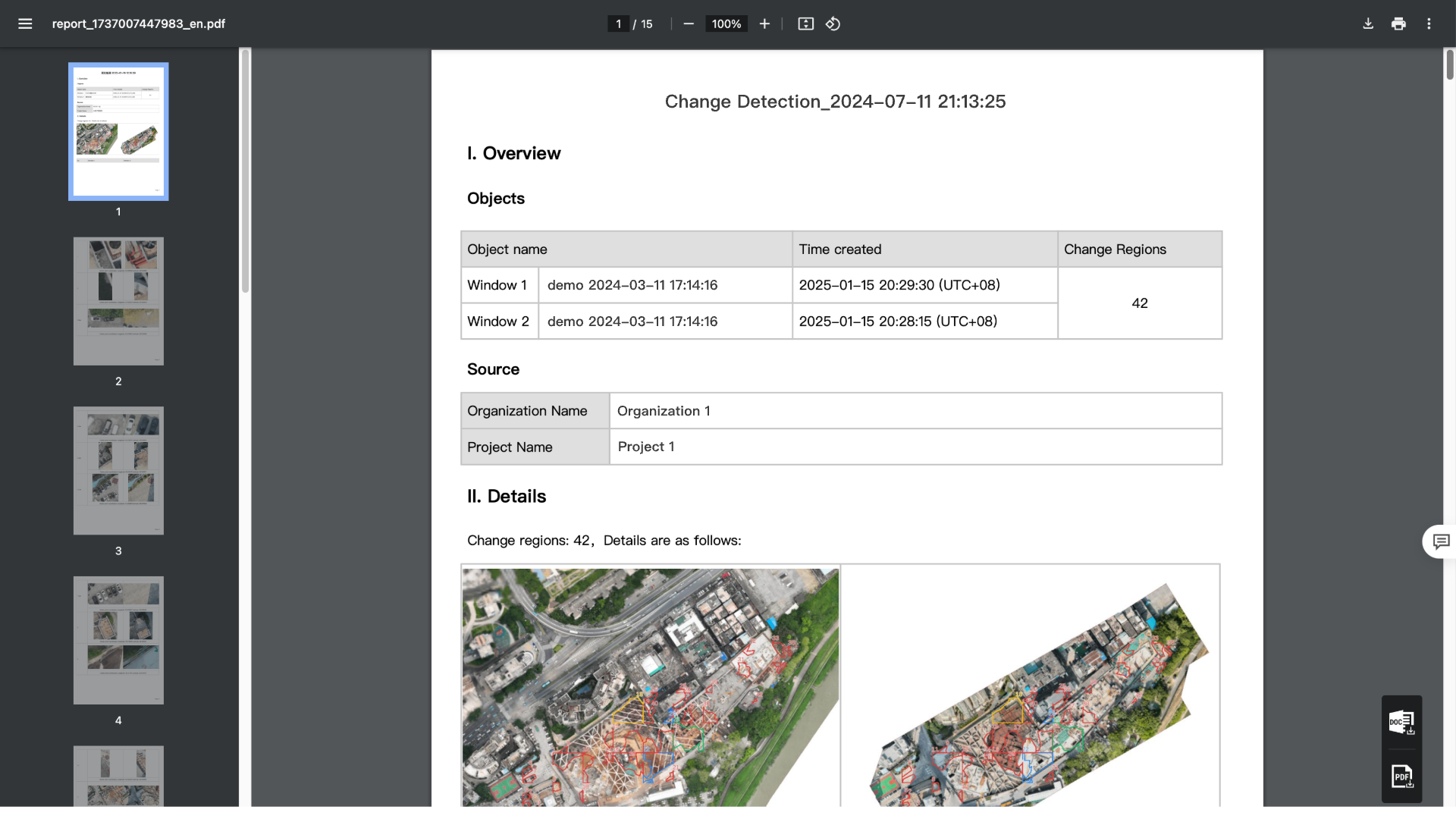
- View Report: Click to view the report. A report will be generated, including detected object information, change region statistics, and photos and center point coordinates for each change. Exporting reports in PDF or DOC format is supported.
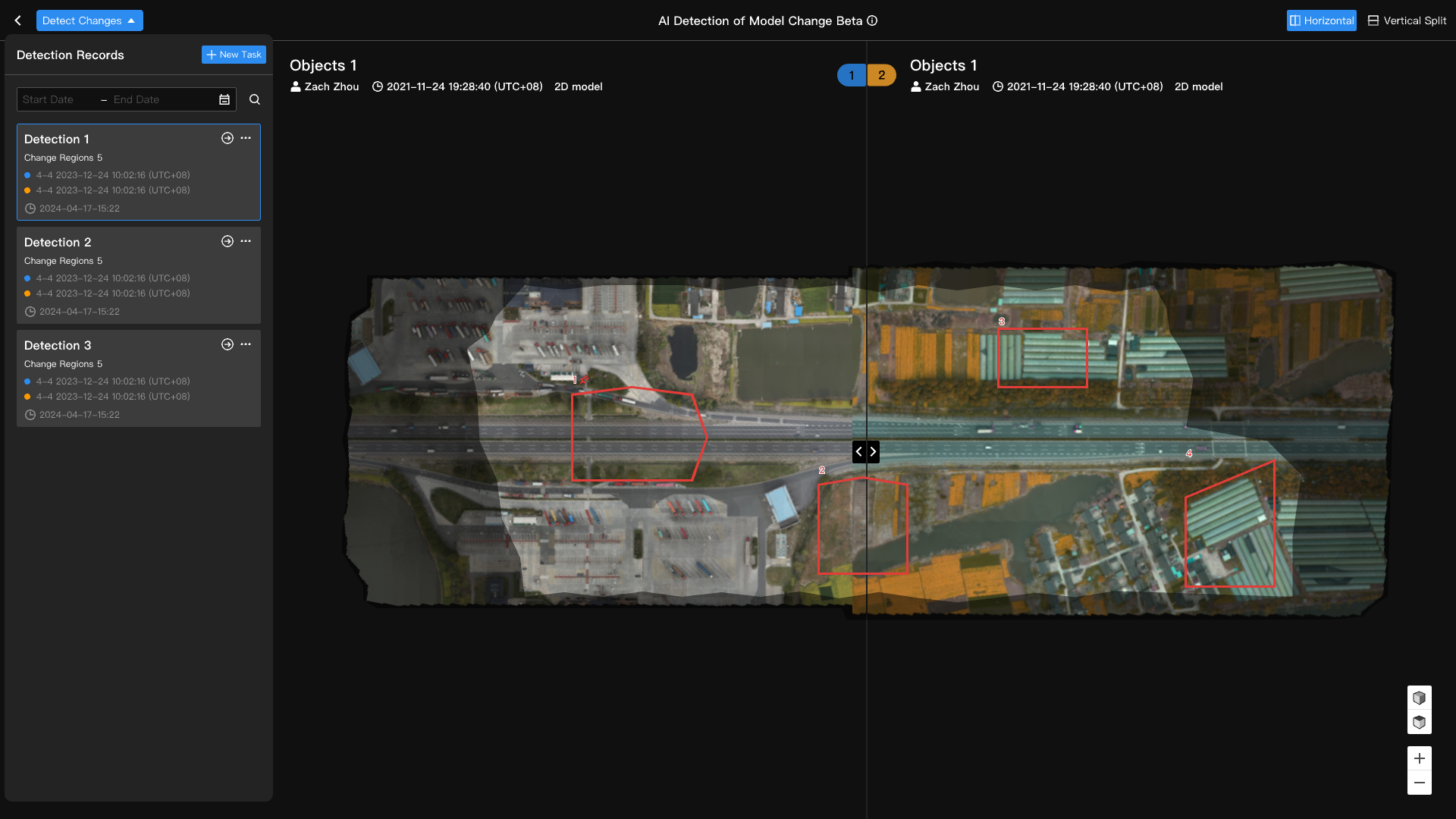
Detection Record Management
You can create, view, and manage all detection records.
Notes on On-premises Version
The model library supports intelligent detection of two 2D models with overlapping areas, and marks the changed areas.