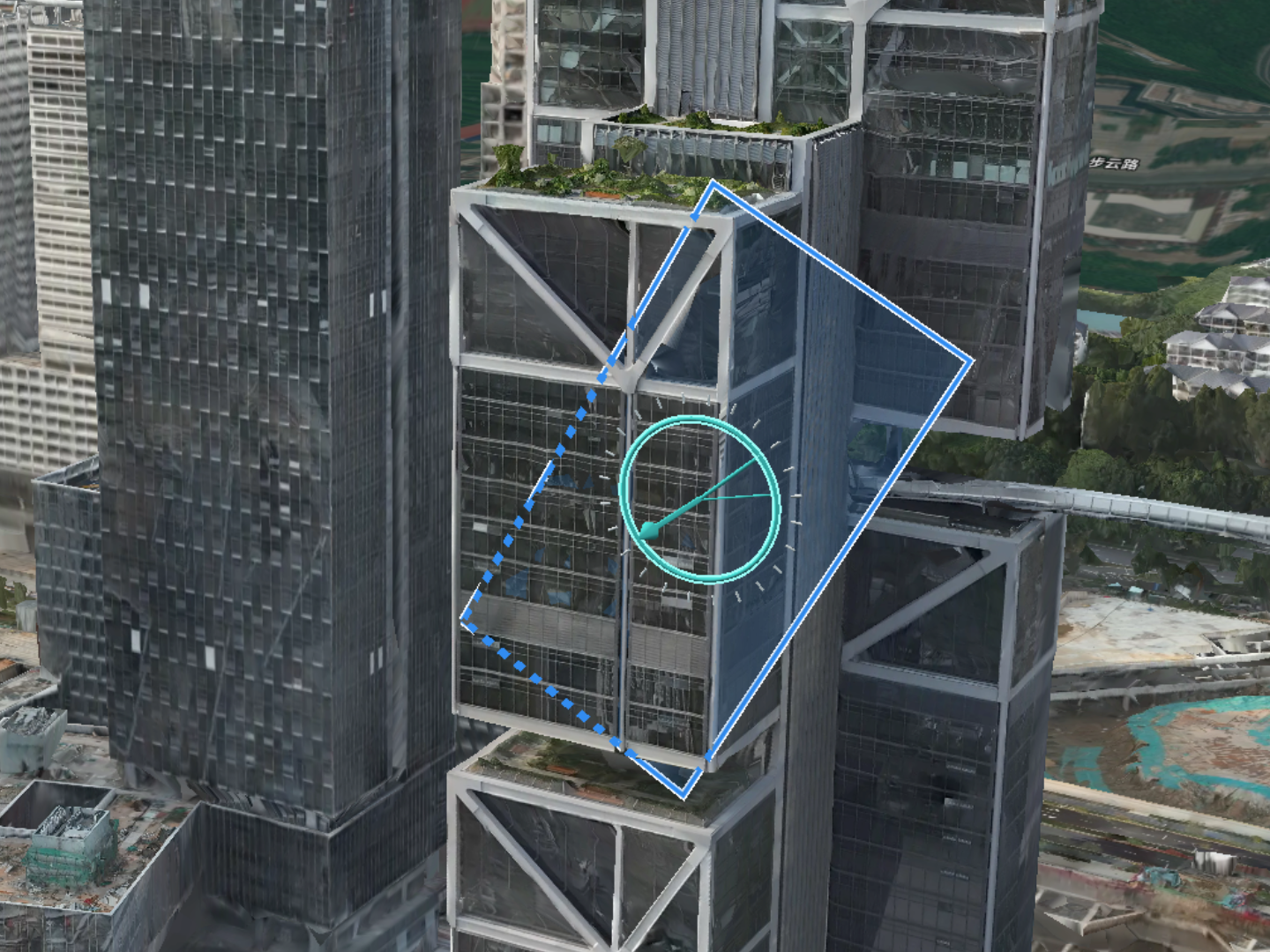
Edit Slope Routes
The Slope Route Editor supports creating a mapping task for a slope. Users can create a slope route, distribute the task to DJI Pilot 2, and complete the mapping task in the model library. Before creating a slope route, users can perform an area route task and generate a rough model of the area for the slope planning.
Flight Route Planning
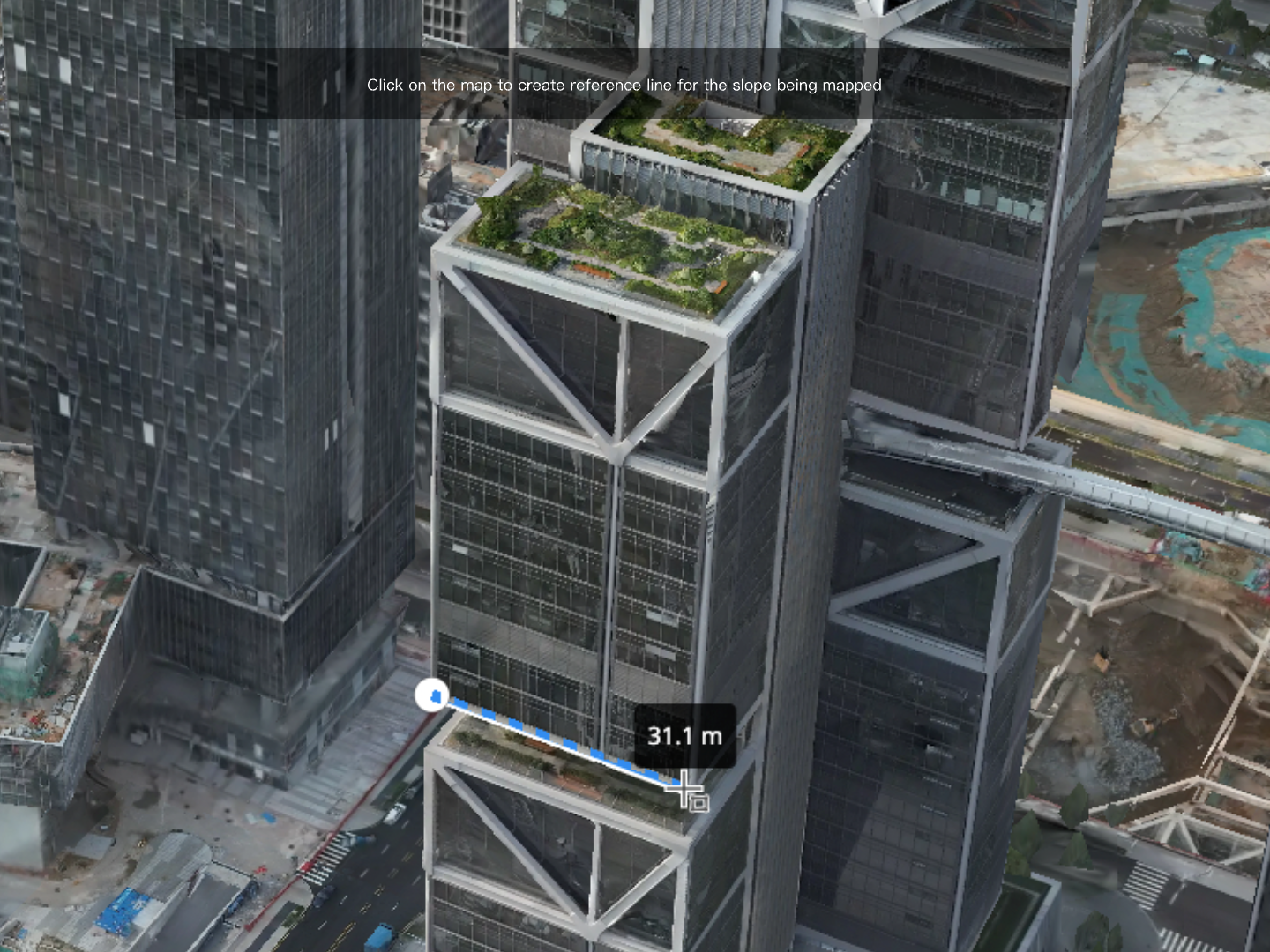
- Click on the map to create a reference line for the slope being mapped.
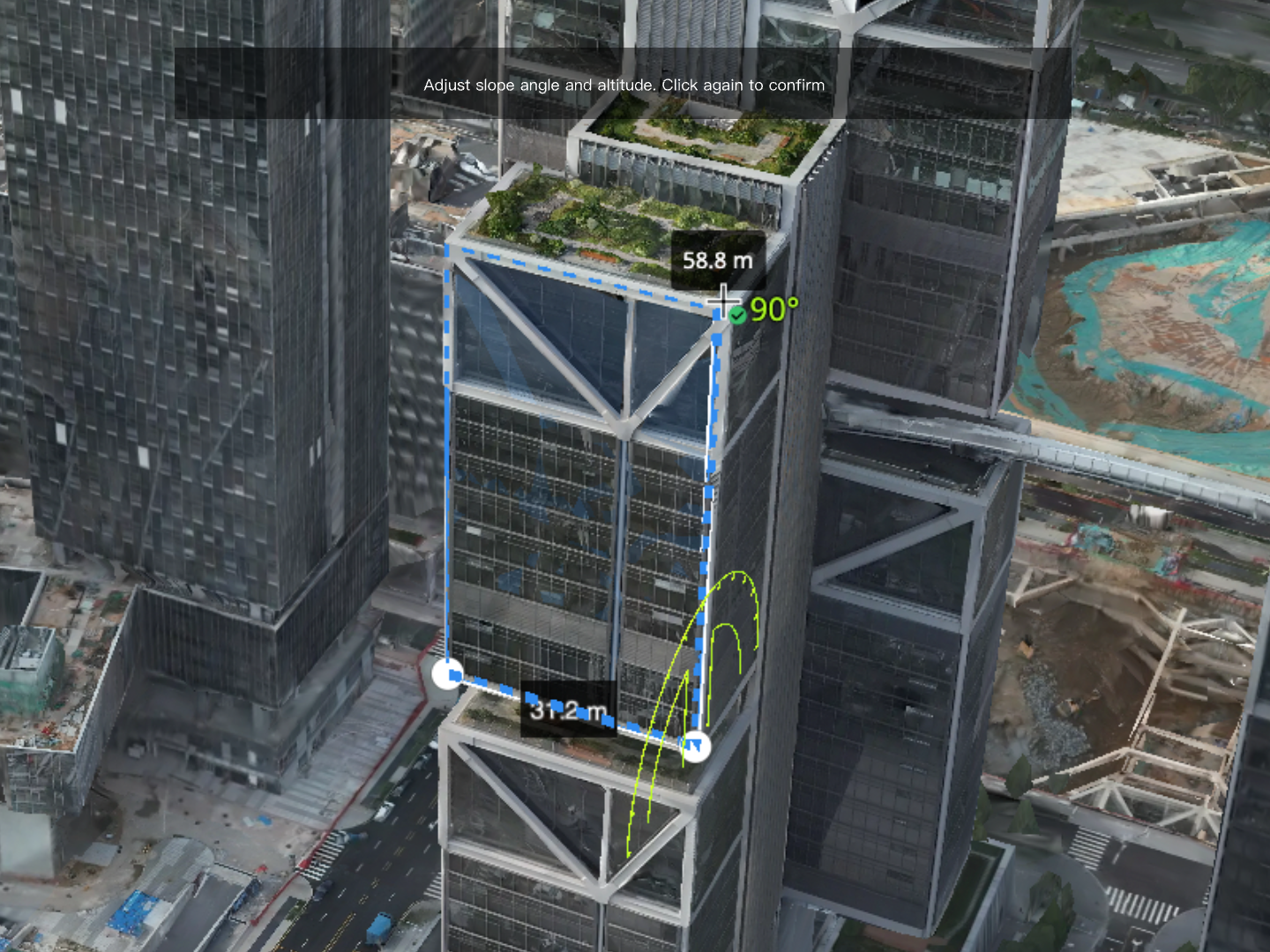
- Move the cursor to create a mapping area along the slope surface. Press [Shift] at the same time to enable a protractor and adjust the slope angle. Click to confirm the mapping area.
- Edit mapping area:
- Click on the mapping area to edit.
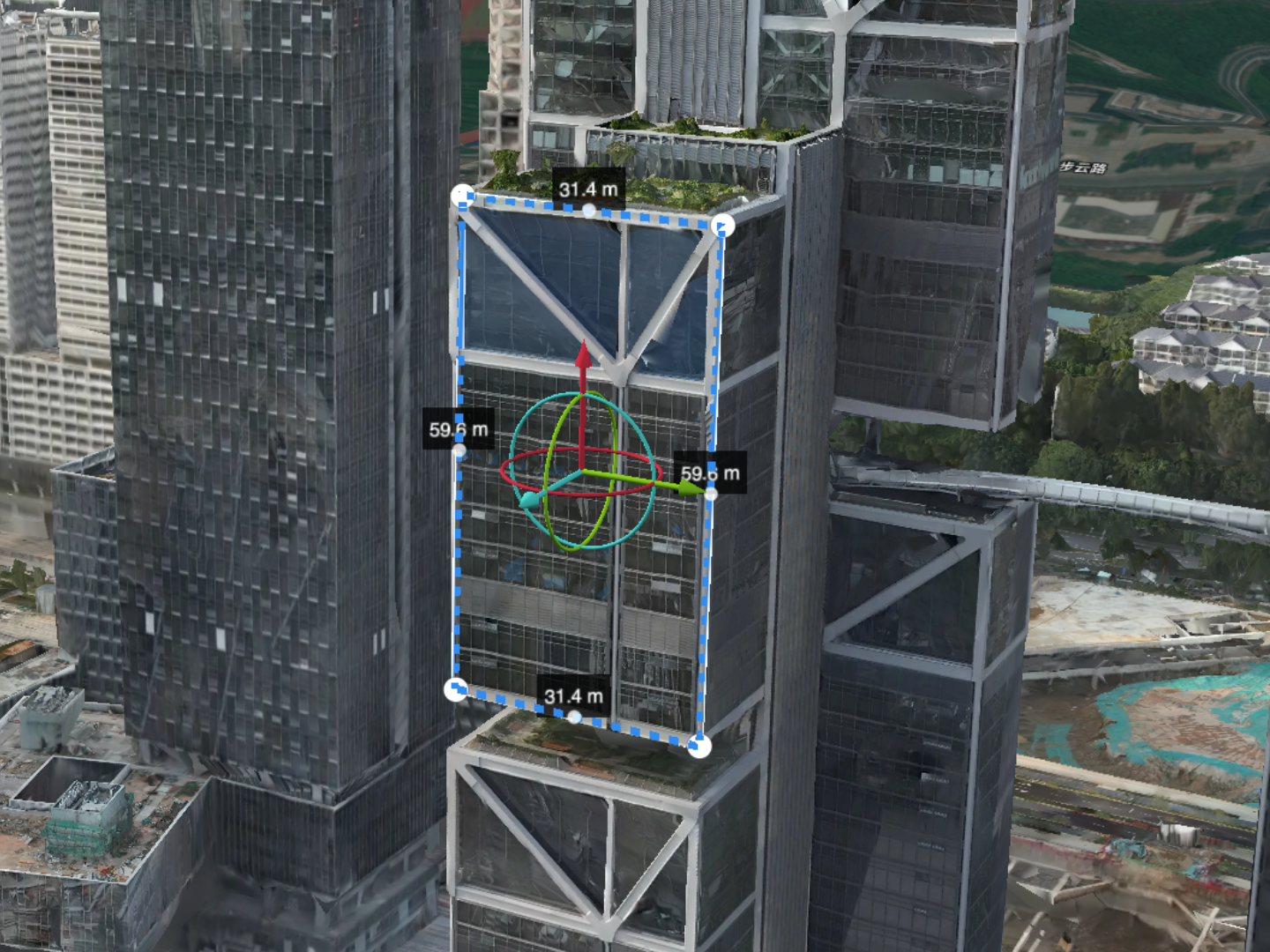
- Drag the vertex or use the 3D manipulator to adjust the mapping area. The 3D manipulator consists of 3 translation arrows and rotation circles. Press and drag the X, Y, or Z axis to move the mapping area along the corresponding direction.
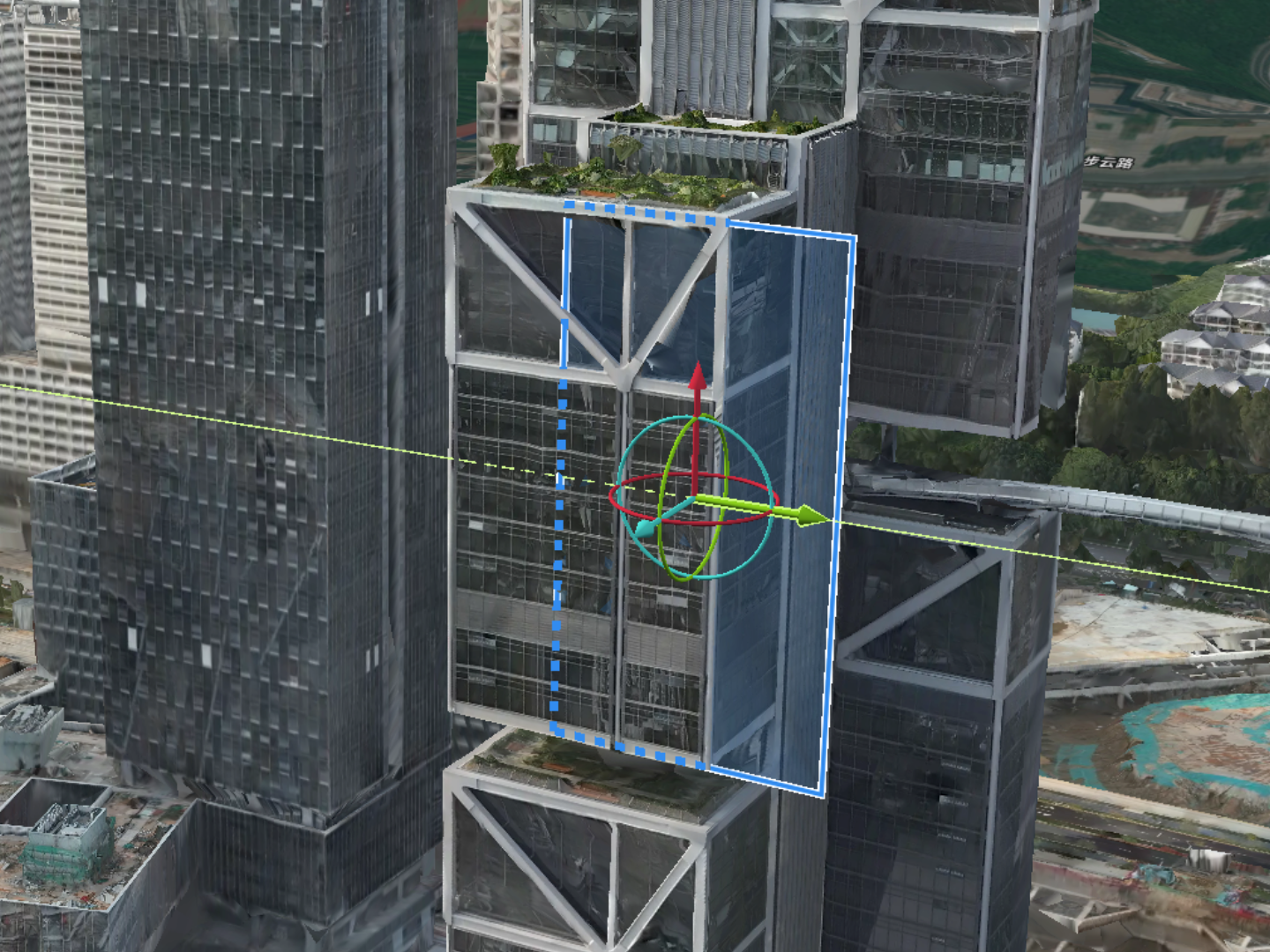
- Press and drag the rotation circle to rotate the mapping area along the corresponding axis plane. Press [Shift] at the same time to enable the protractor and adjust the slope angle.