
Map Collaboration
Map collaboration is a core capability of the DJI Enterprise app. It supports creating point/line/polygon annotations on the map, sharing annotation details, and quickly navigating to target locations with third-party navigation apps.
Enter the Map Page
Open the DJI Enterprise app, then tap the "Home" icon in the bottom navigation bar to enter the map collaboration page.
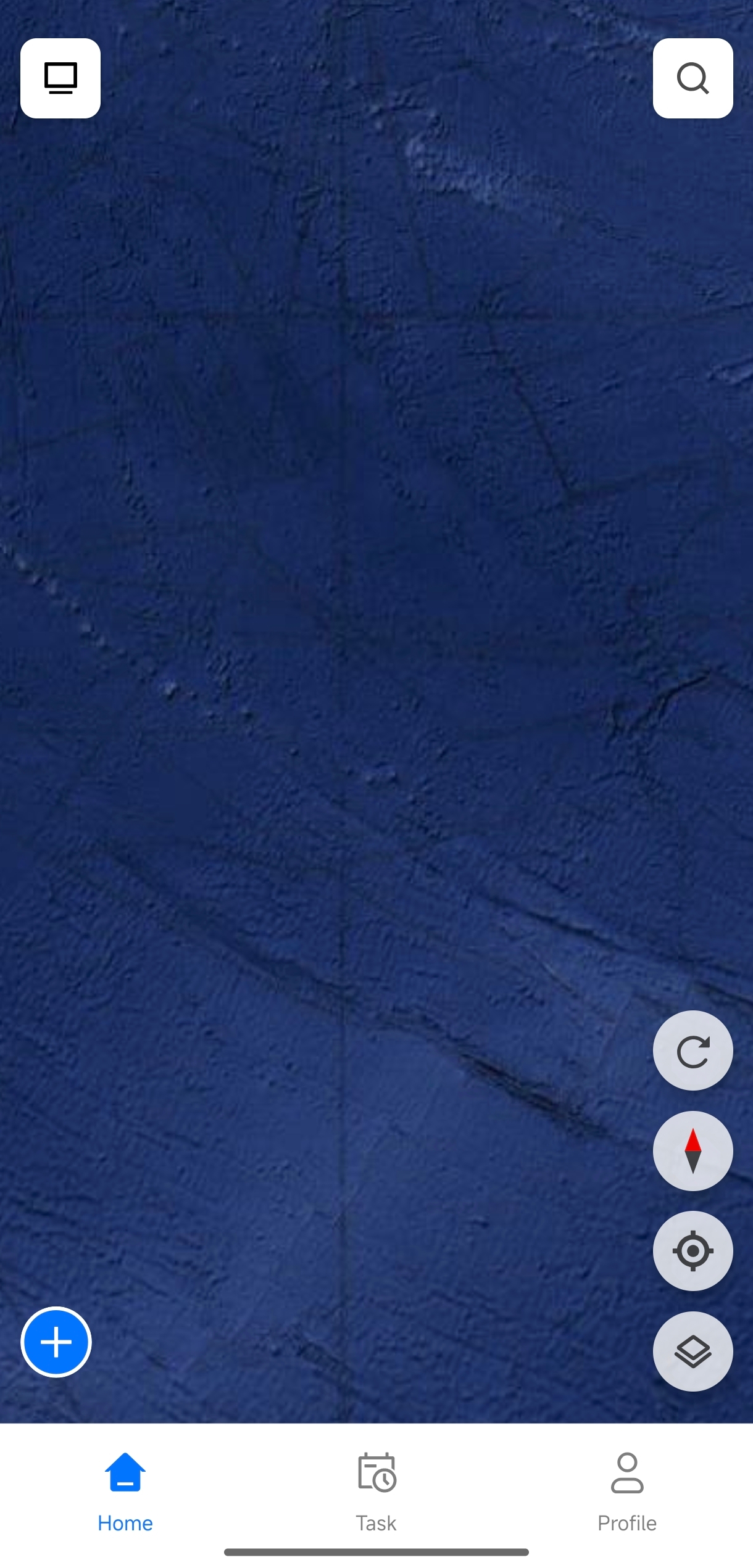
Create Annotations
- On the map page, tap the "+" button on the right.
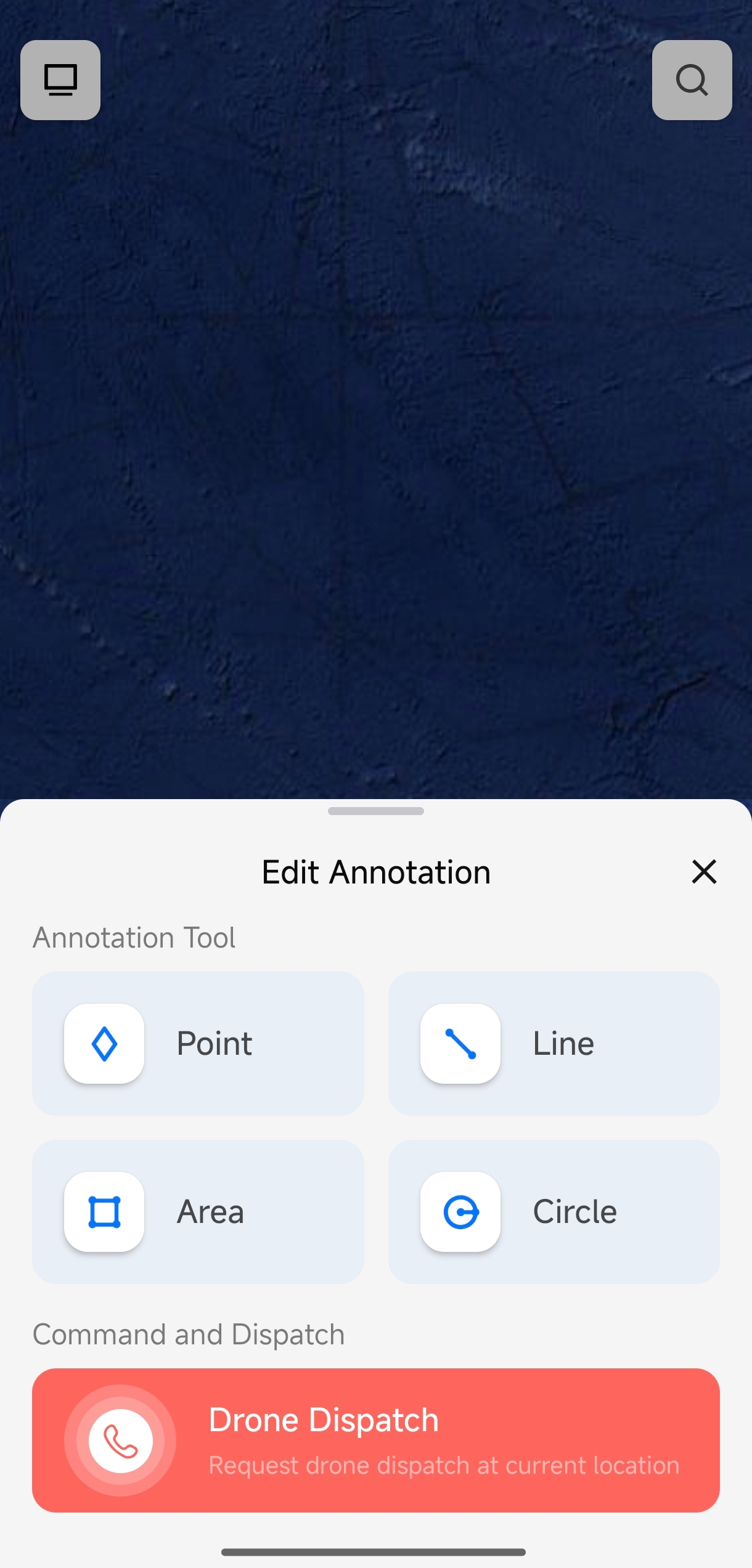
- Select the annotation type you want to create.
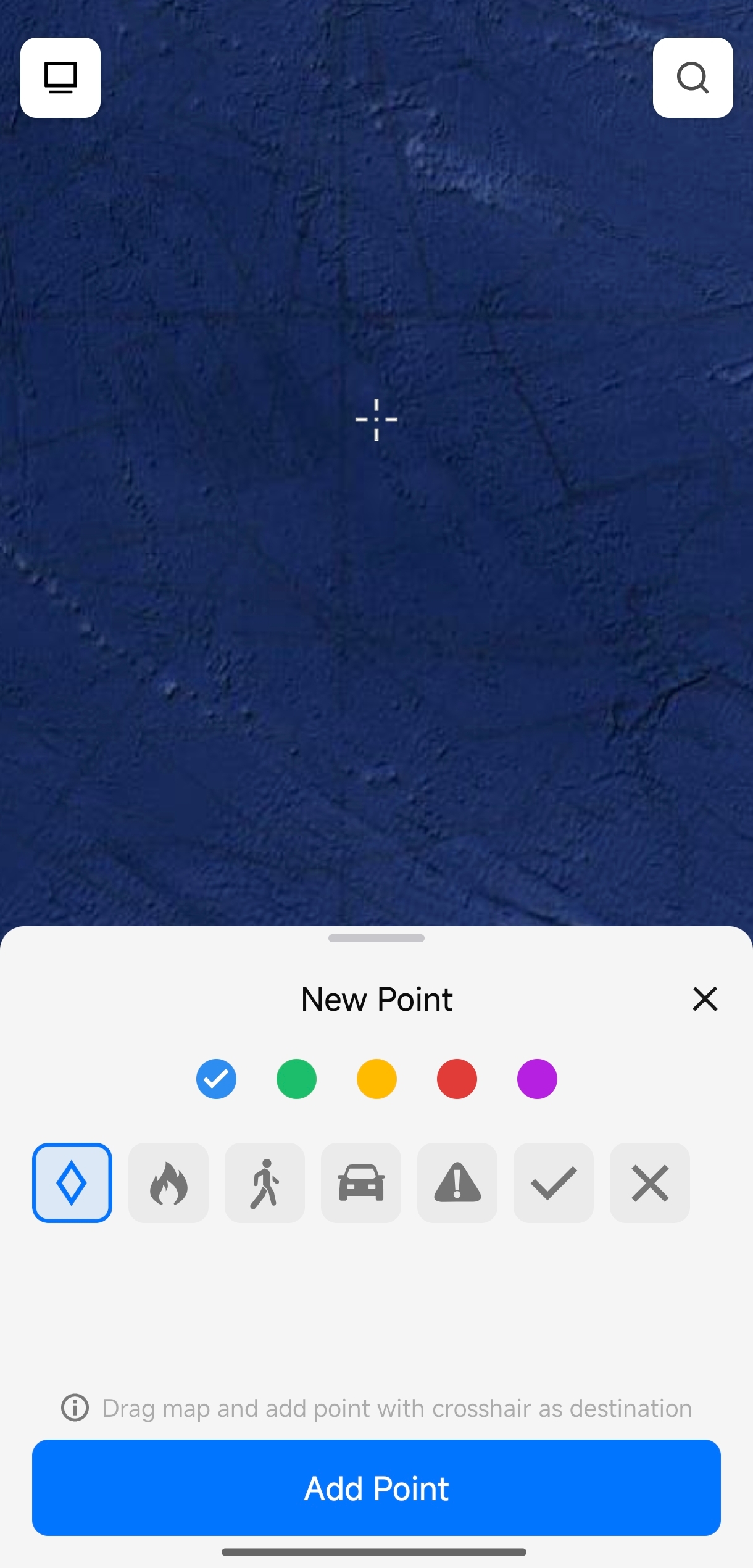
- Drag the map and tap the target location at the crosshair to set the position.
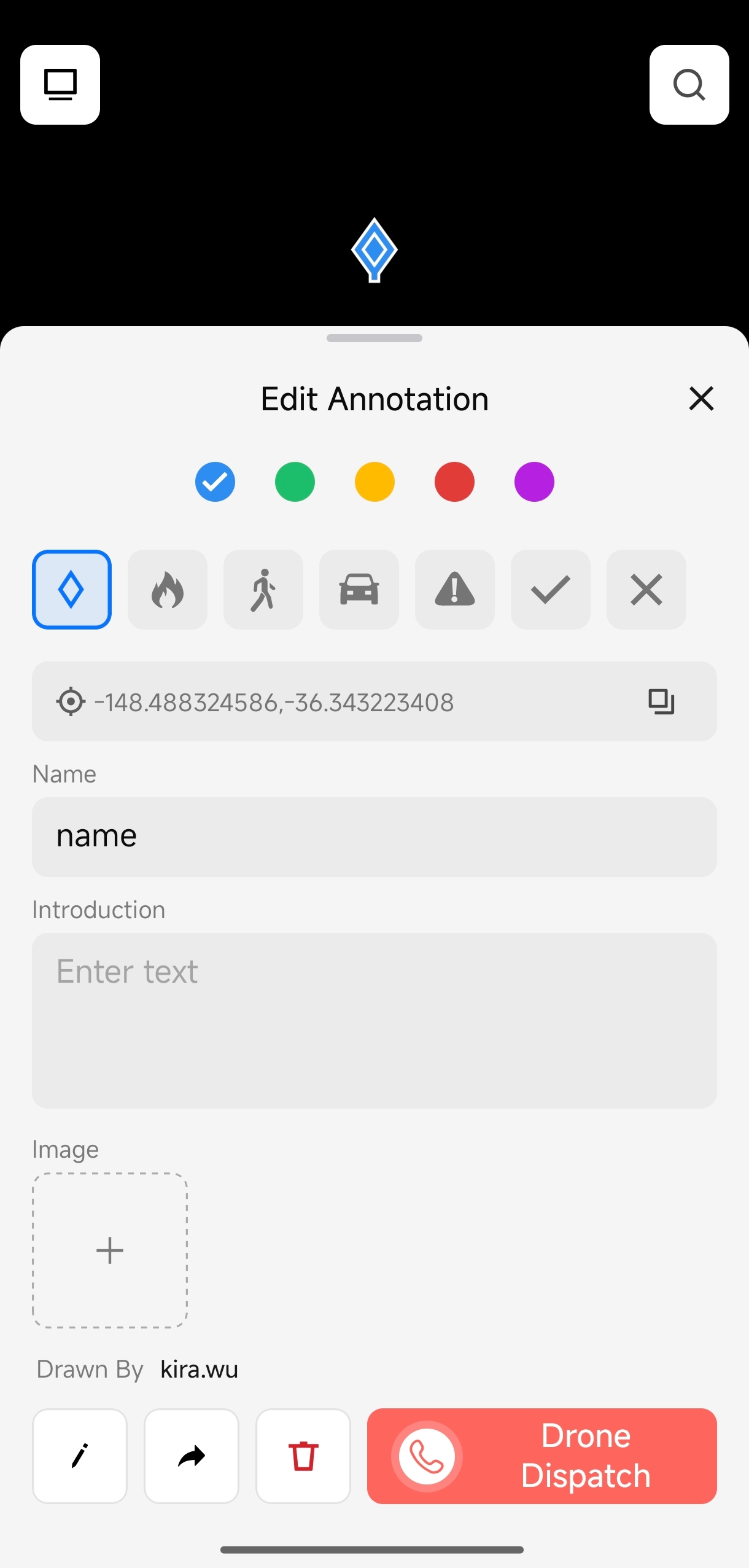
- Enter the annotation name and description.
- Tap the "+" in the image area to upload on-site exception photos as attachments.
Annotations support point, line, and polygon types. Choose the most suitable annotation type based on the actual situation.
Share Annotations
- Tap an existing annotation on the map to open the annotation details pop-up.
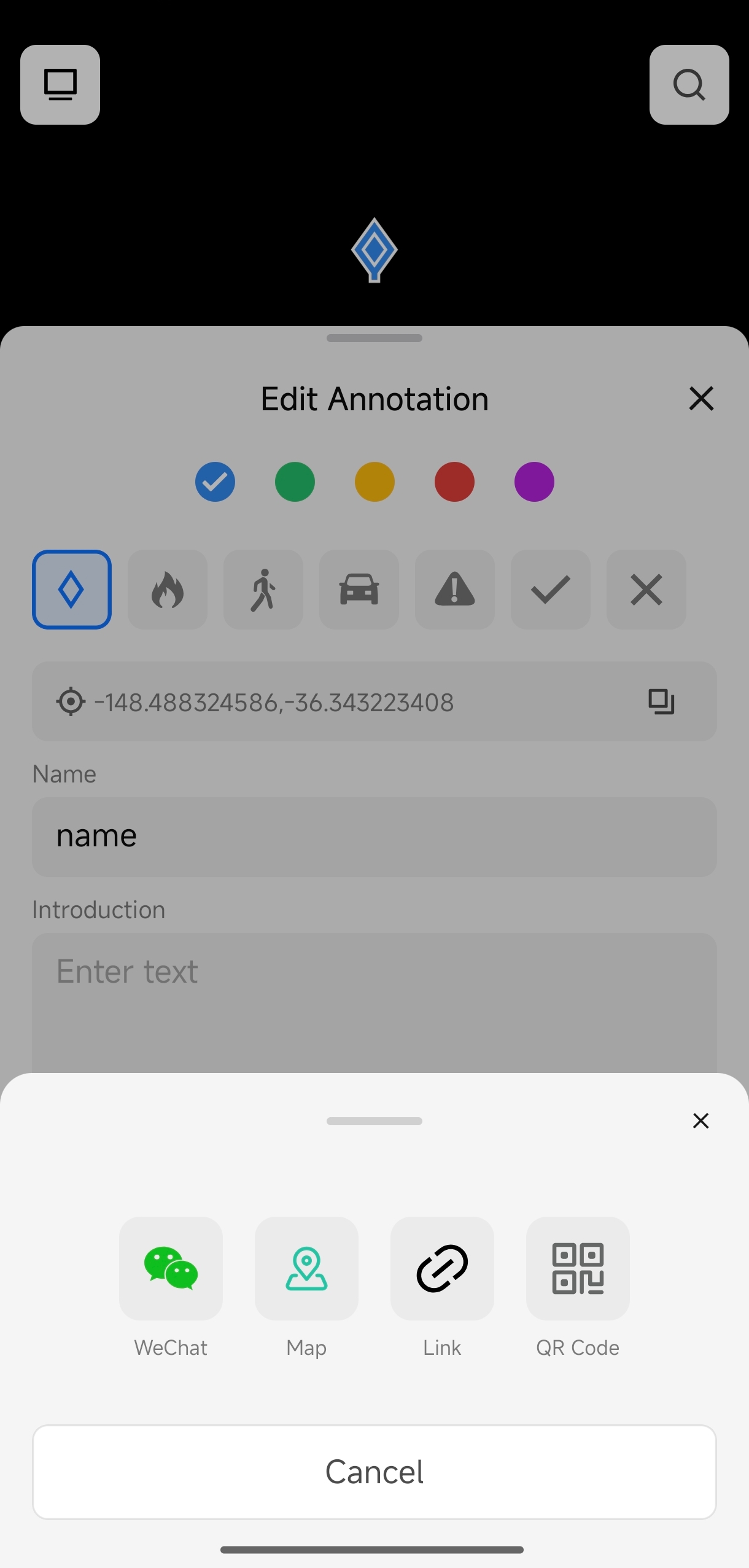
- Tap the "Share" button in the details pop-up.
- Select a sharing method to send annotation details to team members or open the annotation location in a navigation app.
In addition to tapping annotation points, you can tap the search icon in the upper-right corner and directly enter an address to search and navigate to a target location.