
Operations Management
The Operations Management page records actions performed by users in FlightHub 2 or through OpenAPI, including the operation time, operator, business domain, action, result, and source. You can search, view, and export your organization's operation logs.
Only super administrators and organization administrators can view and use this feature.
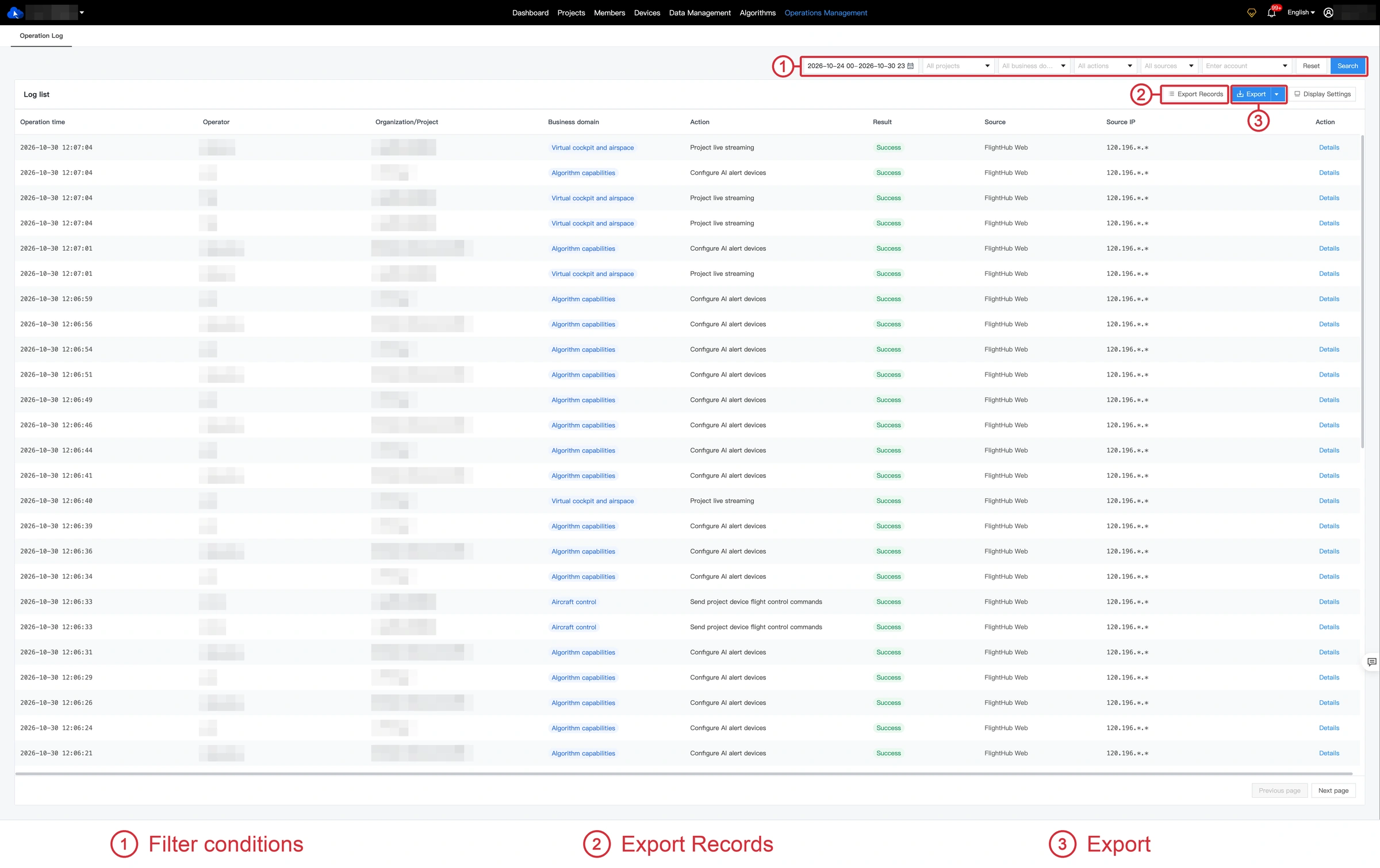
Filter Logs
Select the operation time, organization project, business domain, action type, and source, or filter by operator account. Click Search to view matching logs.
The last 7 days are displayed by default. A single query can cover up to 31 days. Click Reset to restore the default filters.
View Log Details
Click Details in a log row to view the operator, user ID, project, business domain, action type, source, and other information.
Export Logs
Set the filters and click Export to generate a CSV file using the current conditions. Each export can cover up to 7 days of logs.
Click Export Records to view the task status. Once the file is ready, click Download to save it.