
User Center
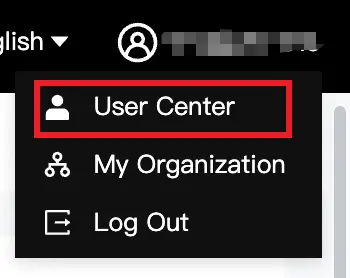
After creating an organization, click the account name in the upper-right corner of the page and select "User Center" to configure message subscriptions and preferences.
Personal Basic Information
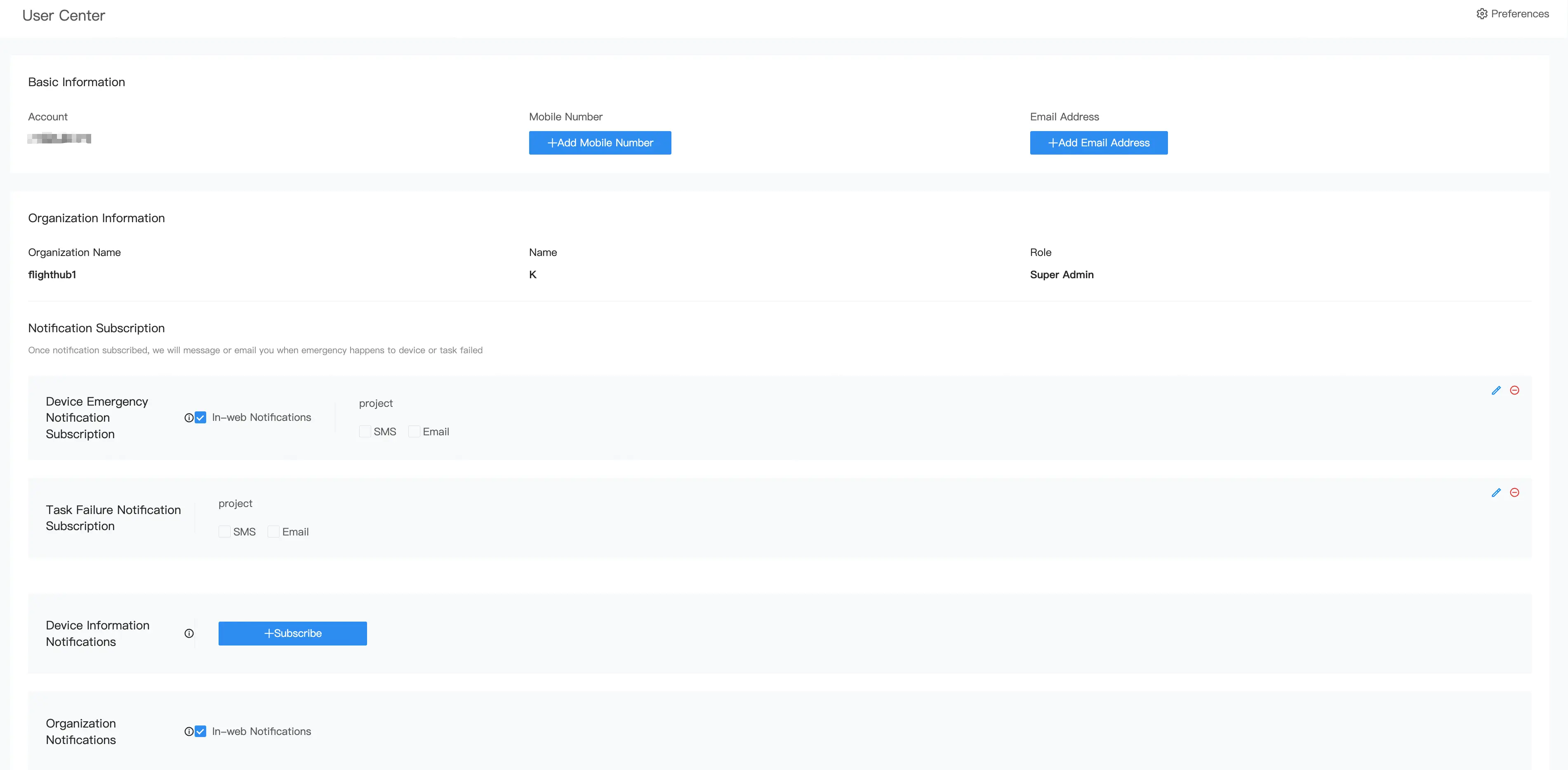
- Account: The currently logged-in account.
- Message Subscription Mobile Number: Used to receive message subscription notifications.
- Message Subscription Email: Used to receive message subscription notifications.
Personal Organization Information
- Organization Name: The organization the user currently belongs to.
- Member Name: The user's name in the current organization. It can be changed on the "My Organization" page.
- User Role: The user's role in the current organization.
Message Subscription
After a user subscribes to a project, the system automatically sends SMS or email notifications when a device emergency occurs or a task fails.
Notification and Subscription Types:
- Device Emergency Subscription: Device emergencies requiring immediate action, such as: 1. The aircraft hovers and cannot return home normally due to obstacle avoidance, flight restrictions, or no-fly zones; 2. The aircraft lands outside the dock or at an alternate landing site due to low battery or an abnormal condition.
- Task Execution Failure Subscription.
- Device Information Notifications: Notifications about devices in the organization that require timely action, such as receiving a response to submitted log feedback.
- Organization Information Notifications: For example, notifications when the organization's livestreaming, storage, or 4G allowance is running low.
Preferences
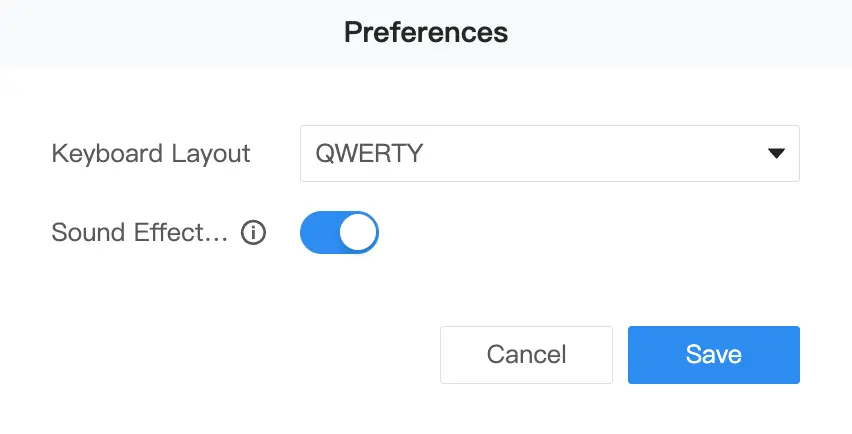
- Keyboard Layout: Select the layout that matches your physical keyboard, such as QWERTY, QWERTZ, or AZERTY.
- Sound Effects/Voice Prompts: When enabled, sound effects/voice prompts are played during flight operations in the Virtual Cockpit.