
Introduction
FlightHub Sync Introduction
FlightHub Sync enables integration between public or on-premises versions of FlightHub and third-party cloud platforms, allowing synchronization of files, livestreams, device telemetry, and other data. The main features are listed below:
| Feature | FlightHub Public Version | FlightHub On-Premises Version |
|---|---|---|
| Livestream Forwarding | Supported | Supported |
| File Synchronization | Supported | Supported |
| Device Information Synchronization | Via telemetry data | Via MQTT Bridge |
| EventAPI | Supported | Supported |
| Third-Party OAuth | Not Supported | Supported |
| Third-Party Airspace Management | Supported | Supported |
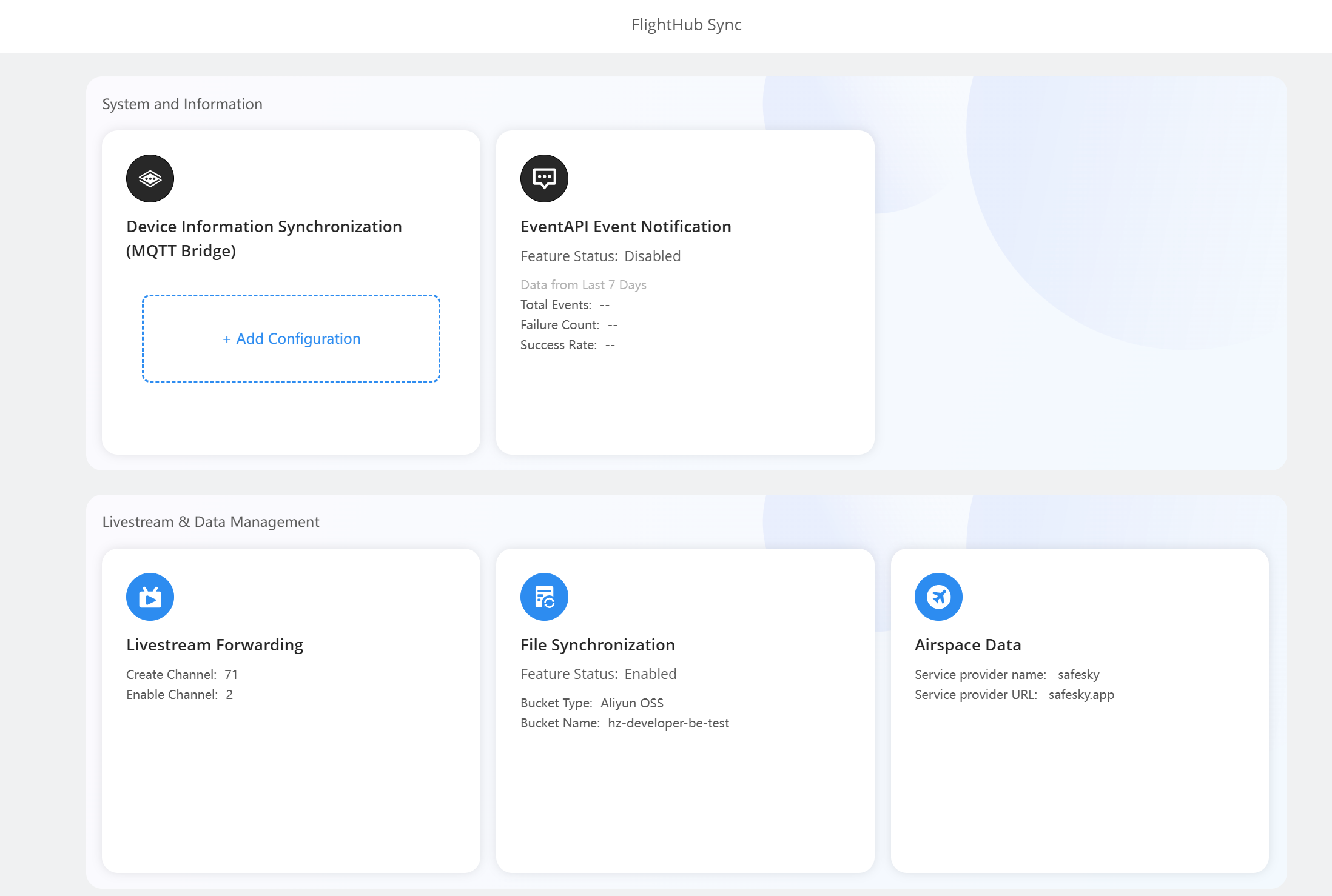
Device Information Synchronization (MQTT Bridge)
Device information synchronization sends relevant data from the dock and aircraft to a third-party cloud platform during operation.
Public Version Telemetry Data (MQTT Protocol Push)
Users of the public version can push device telemetry data to third-party servers via the MQTT protocol. The configuration steps are as follows:
- In FlightHub Sync settings, navigate to the Telemetry Data Forwarding page.
- Configure the MQTT Broker connection details:
- Protocol: TCP
- Host: An IP address or domain name is supported
- Port: MQTT service port
- Username/Password: Authentication credentials
- Once the service is enabled, telemetry data is pushed in real time to the configured MQTT Broker.
Service Status Indicators:
- Running (Green): MQTT connected successfully; data is being forwarded
- Disconnected (Red): The switch is on, but the connection has failed
- Disabled (Gray): The switch is off
MQTT Bridge (On-Premises Version)
The configuration options are shown in the figure below:
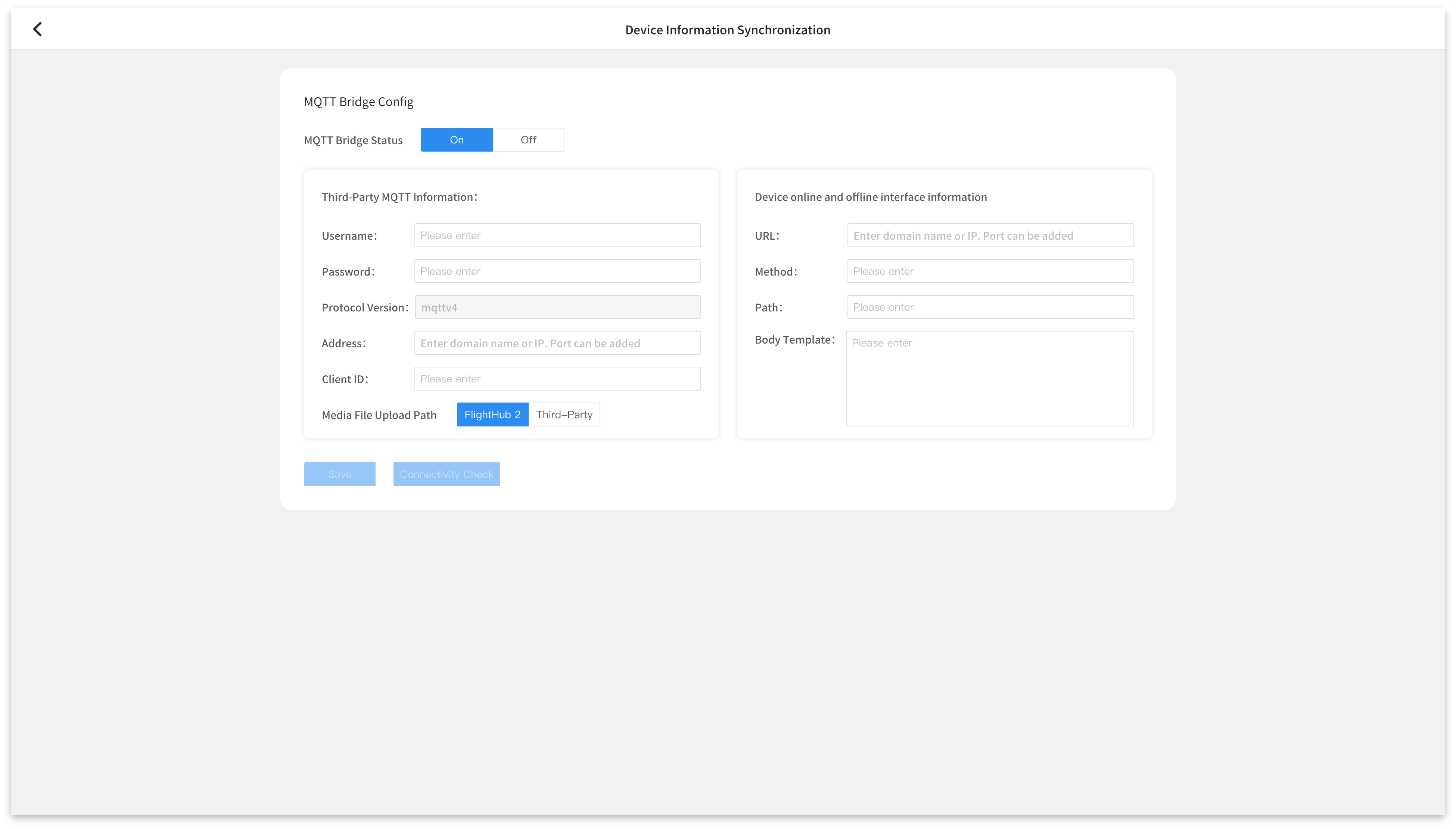
For details, see MQTT Integration.
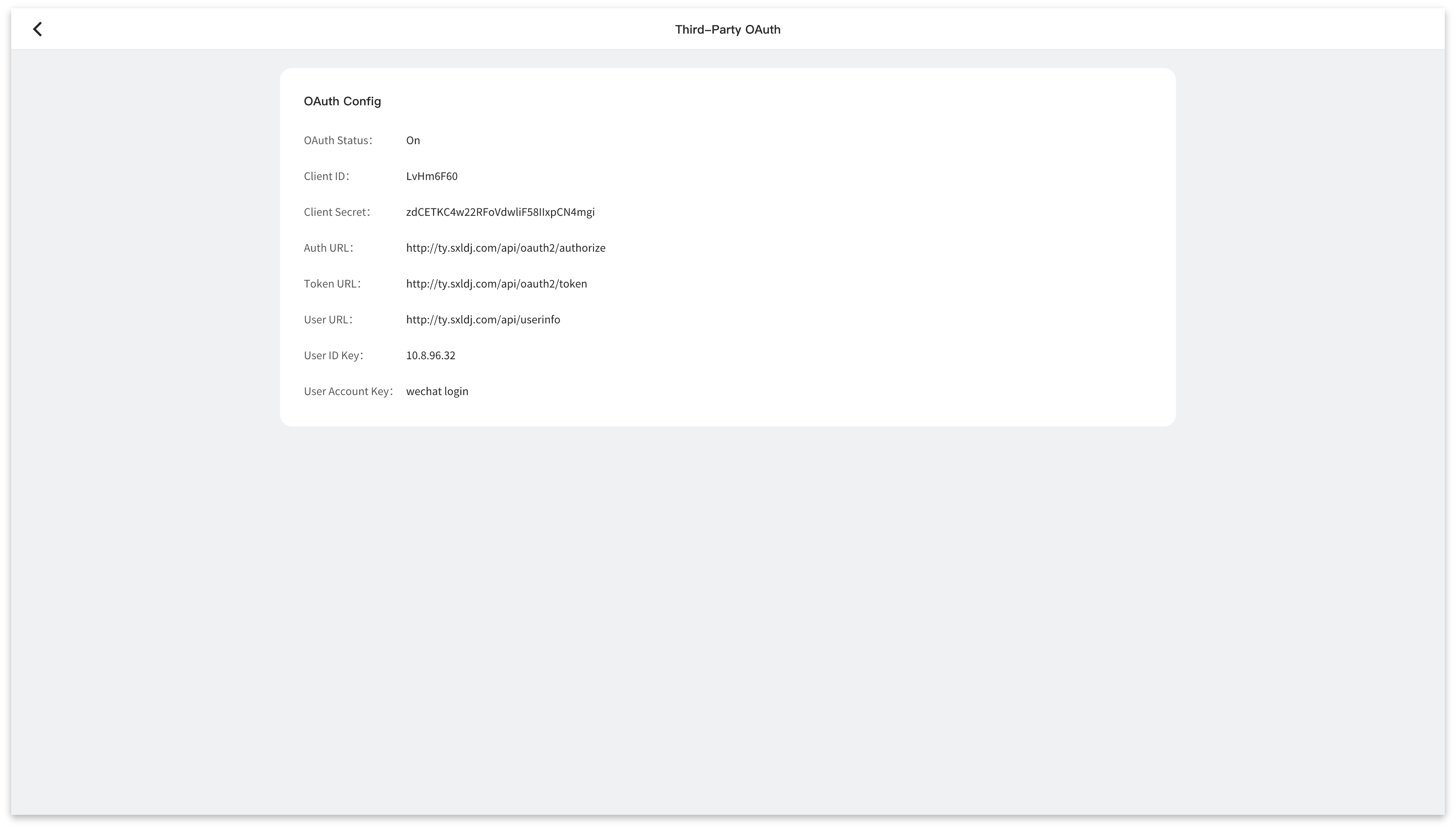
Third-Party OAuth
Third-party OAuth allows users to access FlightHub using temporary authorization tokens (Access Tokens) from third-party business systems. This improves the security and efficiency of integrating FlightHub into existing business systems. Currently, this feature is supported only in the FlightHub 2 On-Premises Version. The relevant fields must be configured when deploying the FlightHub 2 On-Premises Version. For details, refer to the FlightHub On-Premises Version Deployment Manual.
Livestream Forwarding
Livestream forwarding sends streams from any project within the current organization to third-party livestream platforms via RTMP (supported in both public and on-premises versions), RTSP (supported in both public and on-premises versions), and GB28181 (supported only in the on-premises version). Forwarded livestream data also consumes livestream minutes from your organization's package. Please monitor usage accordingly.
The configuration steps are as follows:
- Create a forwarding channel and complete the relevant configuration.
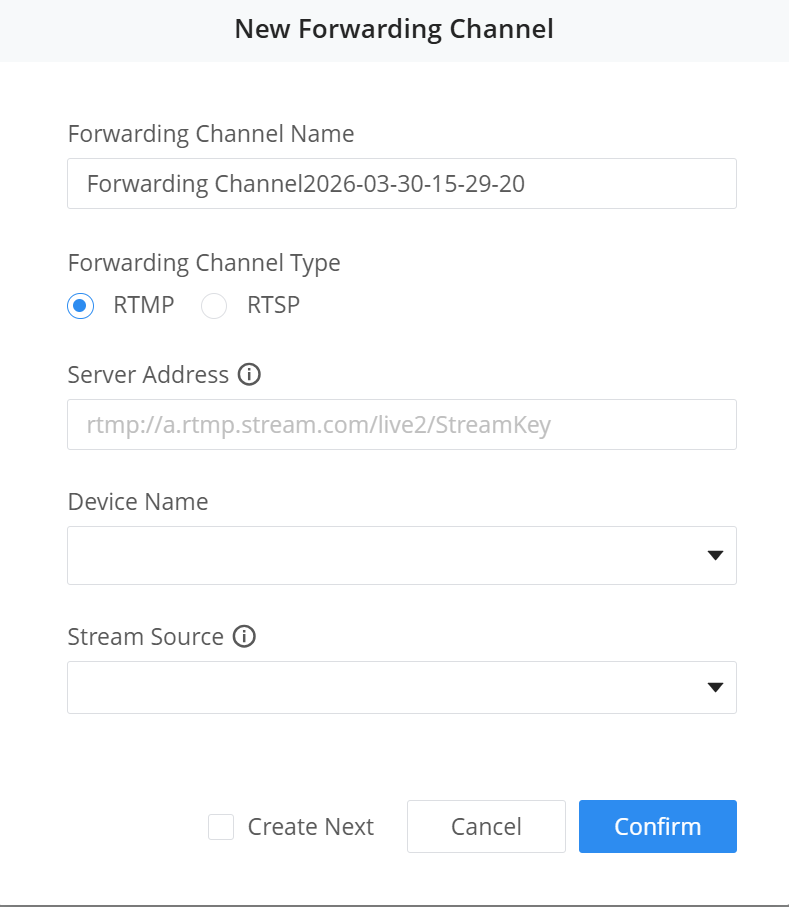
- After configuration, use the channel switch to enable or disable the corresponding forwarding channel.
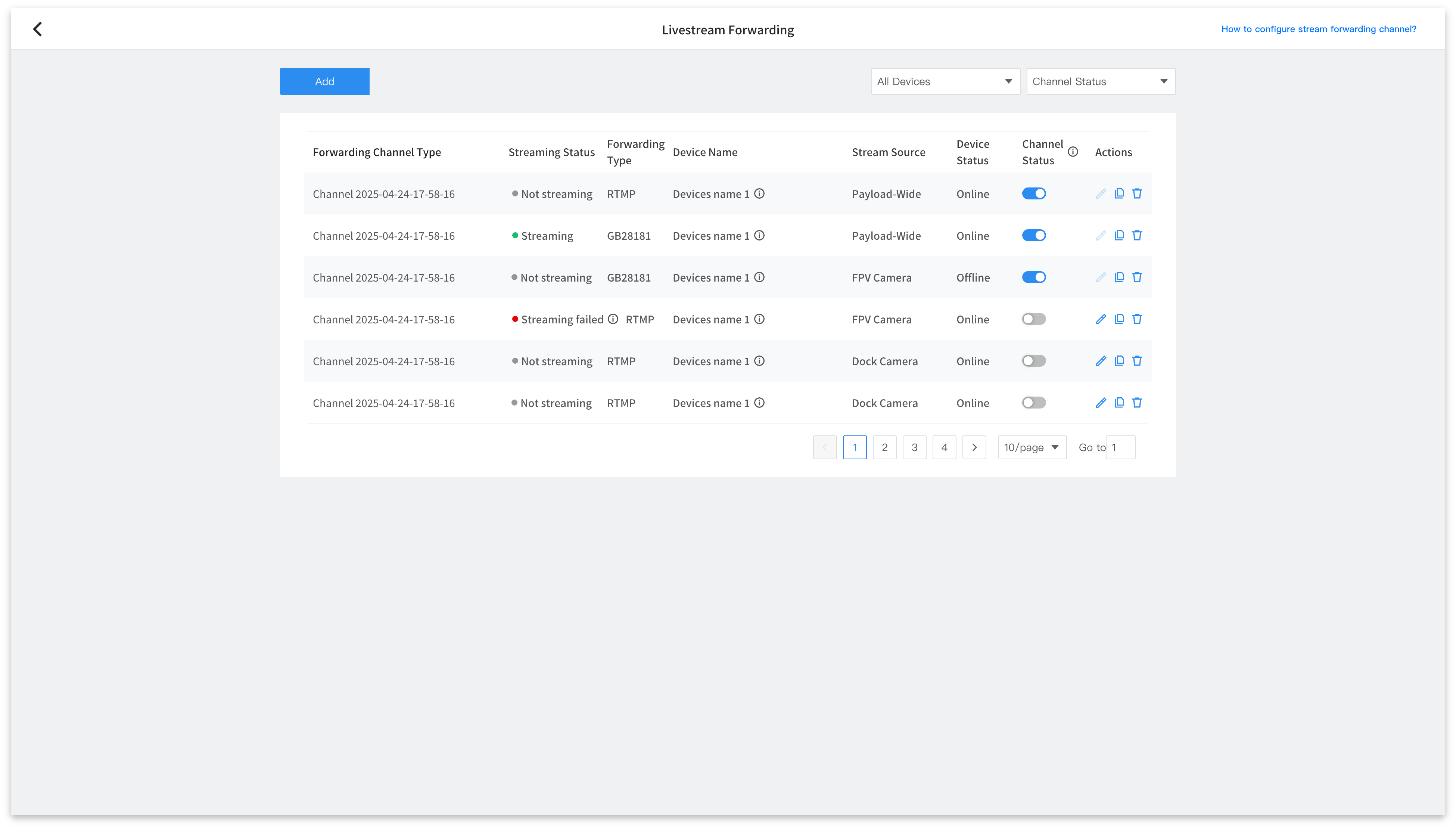
Note:
- DJI Dock 4 does not currently support RTSP.
- For the RTSP protocol, the IP address is not retained after streaming is stopped. To start streaming again, enable streaming, obtain a new IP address, and update it on the third-party platform.
File Synchronization
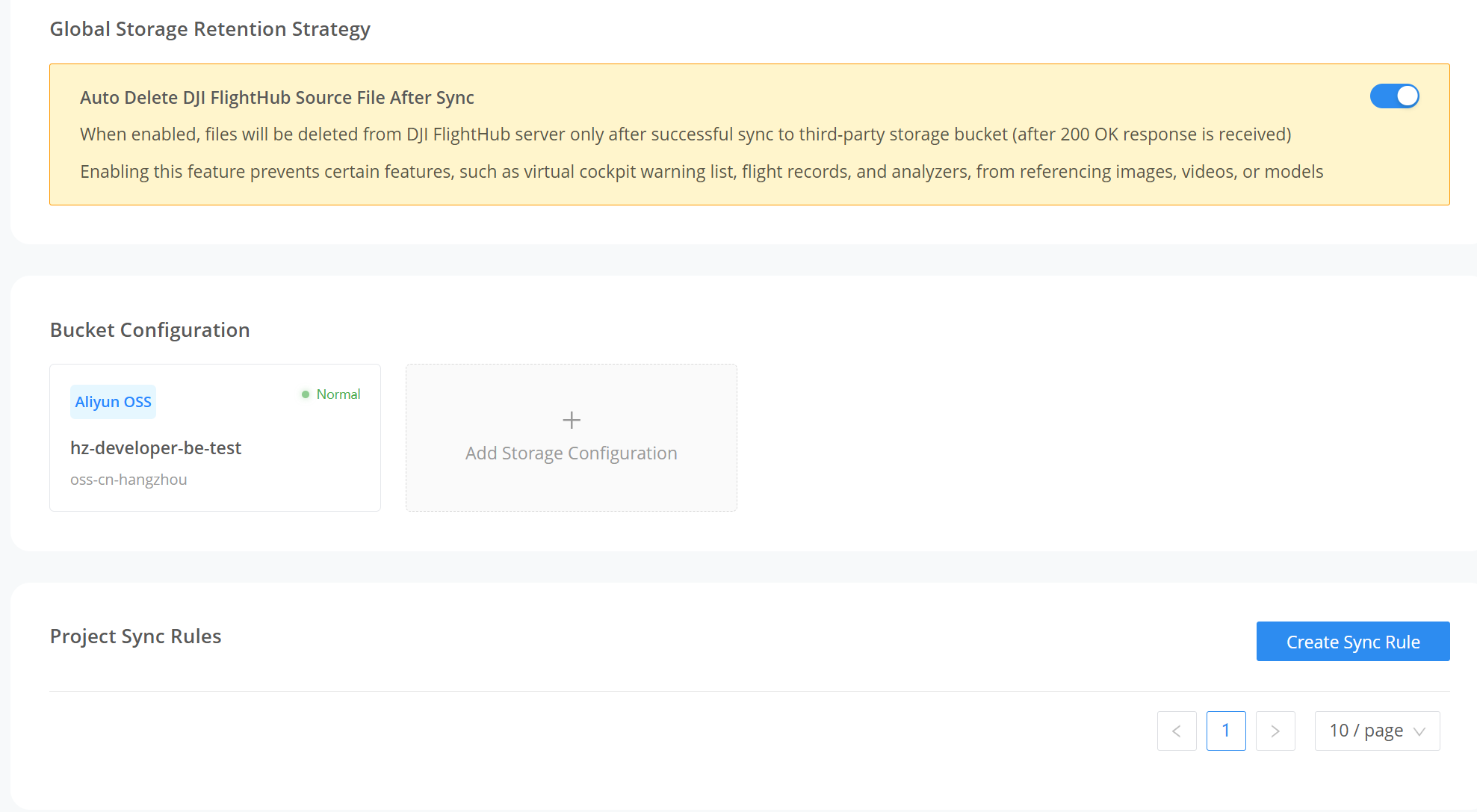
File synchronization sends file data from FlightHub to third-party platforms. Details are as follows:
| File Type | From FlightHub to Third Party | From Third Party to FlightHub | Notes |
|---|---|---|---|
| Media Files | Supported | Supported | When auto-delete is enabled, source files in FlightHub can be deleted automatically after synchronization |
| Flight Routes | Supported | Supported | Automatic deletion of source files in FlightHub after synchronization is not currently supported |
| Models | Supported | Supported | When auto-delete is enabled, source files in FlightHub can be deleted automatically after synchronization |
| Flight Records | Supported | Not Supported | When auto-delete is enabled, source files in FlightHub can be deleted automatically after synchronization |
| Annotation Info | Supported | Supported | Synchronization is performed via OpenAPI. See Creating Map Annotations |
Note: Files are fully packaged during synchronization, so their size on the third-party platform will be larger than their size in FlightHub.
Auto-Delete Source Files
File synchronization settings include an option to "Automatically delete FlightHub source files after sync".
- Deletion occurs only after a 200 OK response is received from the third-party storage.
- Deleting files affects features in FlightHub that depend on those files, such as Virtual Cockpit alerts, flight records, and the Analyzer.
- This action cannot be undone. Enable with caution.
Bucket Configuration
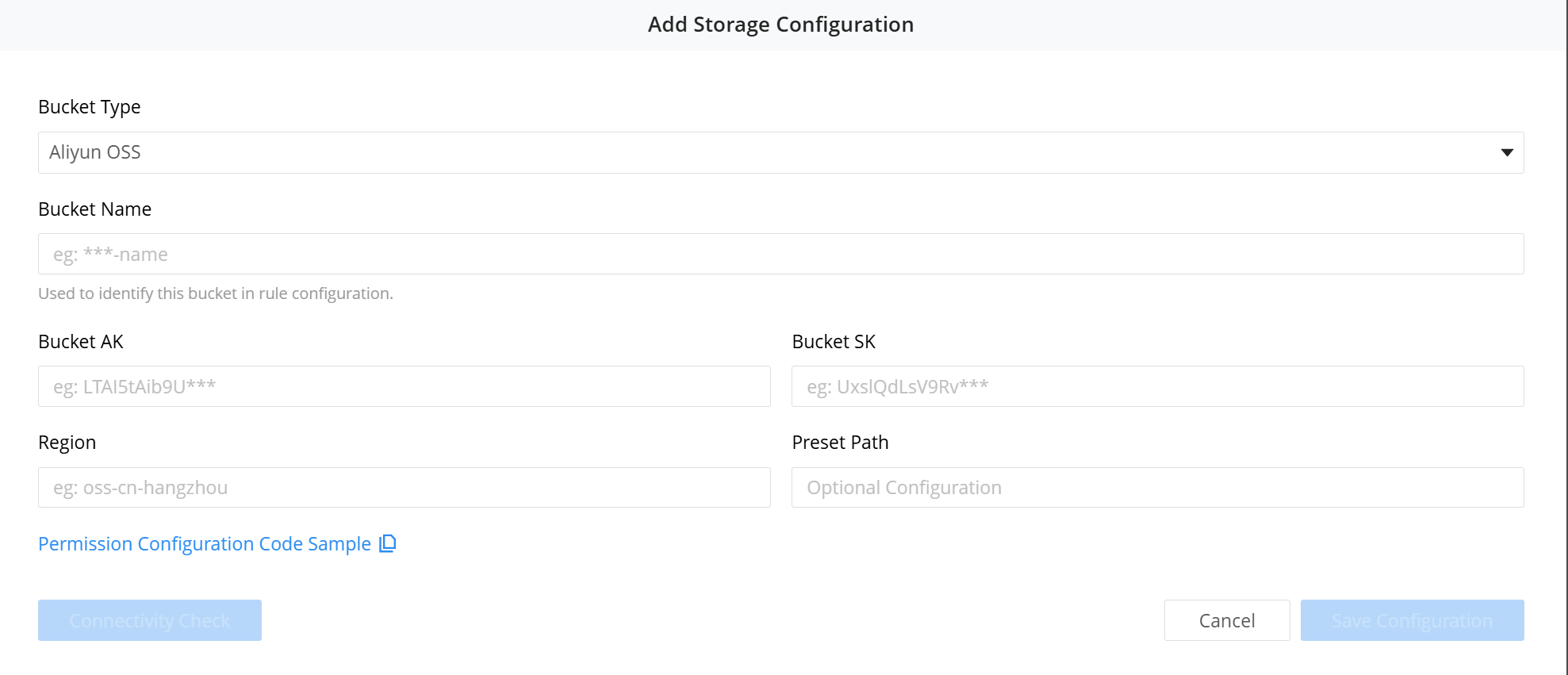
Configuration Steps:
- Configure bucket parameters. Three types of storage are currently supported: AWS, Alibaba Cloud, and self-hosted S3-compatible storage (MinIO). Configure the corresponding bucket permissions for read and write operations:
- Configure synchronization parameters. FlightHub Sync allows independent synchronization rules for each project, enabling different projects to connect to different storage buckets. In particular, flight record synchronization requires your consent to the relevant data reporting terms before it can be enabled. This setting applies to flight data across the entire organization.
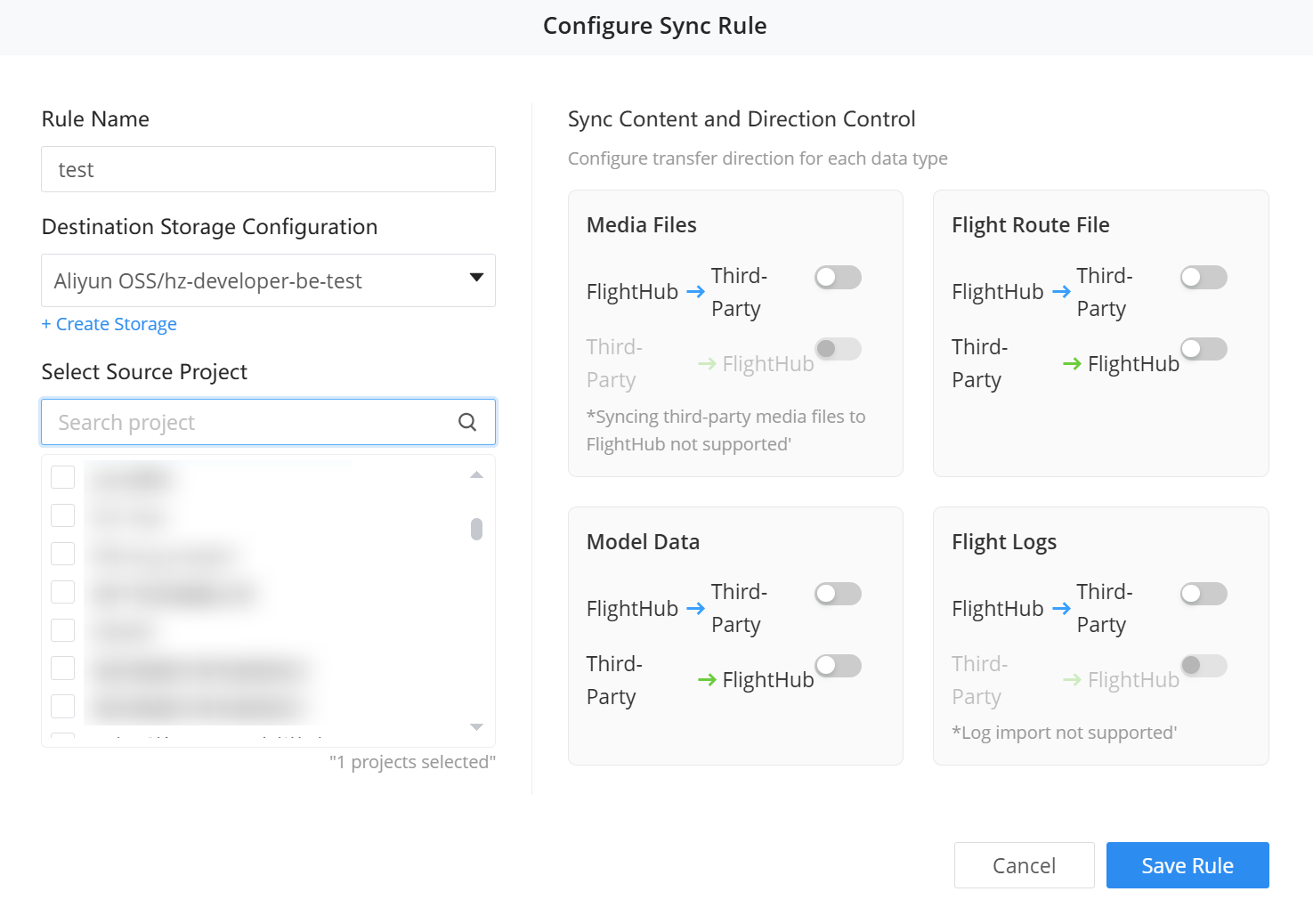
Project-Level Storage Notes:
- Synchronization rules and destination buckets can be configured independently for each project
- A single storage configuration can be reused across multiple rules, decoupling "storage configuration" from "synchronization rules"
- Each project can belong to only one custom synchronization rule at a time
- New rules are automatically created for existing projects for archiving
- Up to 20 storage bucket configurations can be added simultaneously within a single organization
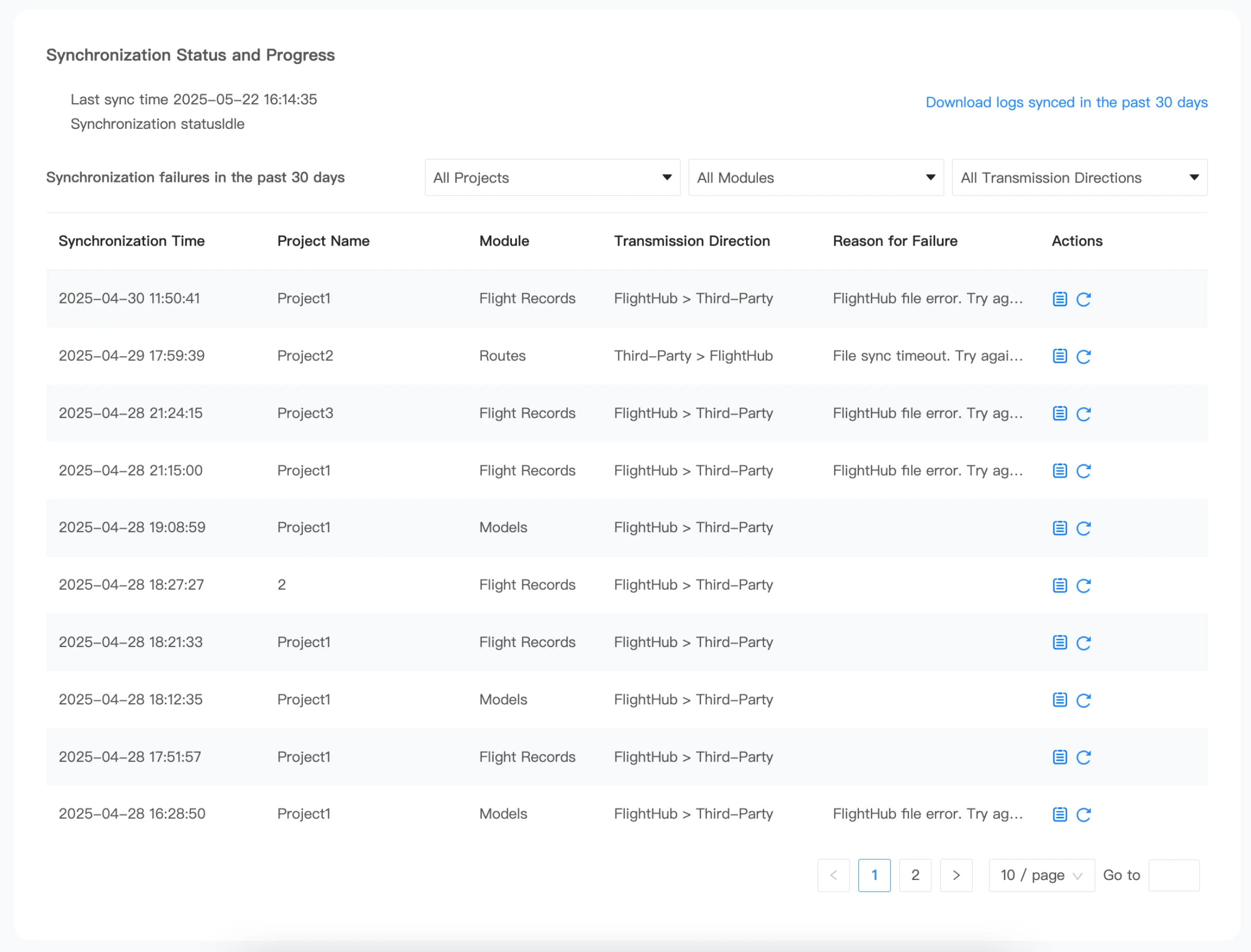
- View synchronization status and manage errors. Once file synchronization begins, you can view the current synchronization status at the bottom of the page. Files that fail to synchronize are listed, and you can download logs to view the complete synchronization logs for the past 30 days.
EventAPI
EventAPI is FlightHub Sync's active notification service for pushing business events to third-party platforms in real time. For details, see EventAPI.
Key Features:
- Configure notification rules and select the event types to subscribe to
- Set the data push scope to all projects or specific projects
- Validate request sources using HMAC-SHA256 signatures
- Audit delivery logs for the past 7 days and download them in CSV format
- Push messages through a fixed IP address for easy firewall allowlist configuration
Third-Party Airspace Management
Third-party airspace management integrates real-time airspace information from external airspace data providers into FlightHub. It displays nearby aircraft movements on the team page map and combines this information with DJI AirSense data to issue collision risk alerts and improve flight safety.
Configuration Steps
- An organization administrator opens the "Airspace Data Management" page in FlightHub Sync and selects "SafeSky" or "Other Providers". When selecting "Other Providers", connect a third-party airspace data provider that complies with the protocol.
- Enter the provider information and the API Key obtained from the provider, validate, and save the settings.
- Select one of the configured providers to enable.
- After the corresponding airspace alerts are enabled for a project, nearby aircraft information from the provider can be viewed on the map.
Supported Providers
You can configure SafeSky or connect third-party airspace data providers that comply with the protocol via "Other Providers". Before using SafeSky, subscribe to the appropriate plan on its platform and obtain an API Key.
Core Capabilities
- Receive and display aircraft position, altitude, speed, and other dynamic information in external airspace in real time
- Combine external data with DJI AirSense data, automatically remove duplicates, and prioritize AirSense (ADS-B) sources
- Configure distance thresholds for collision risk alerts (high, medium, or low risk)
- Filter by ICAO code or aircraft type to reduce unnecessary alerts