
Analyzer Management
The analyzer supports the management and volume calculation of design files and models, engineering project data analysis, timeline display of models and media, multiple measurement tools, and analysis report generation. After entering a project, project members can click the panel on the left to create, rename, delete, or share analyzers.
Analyzer management interface
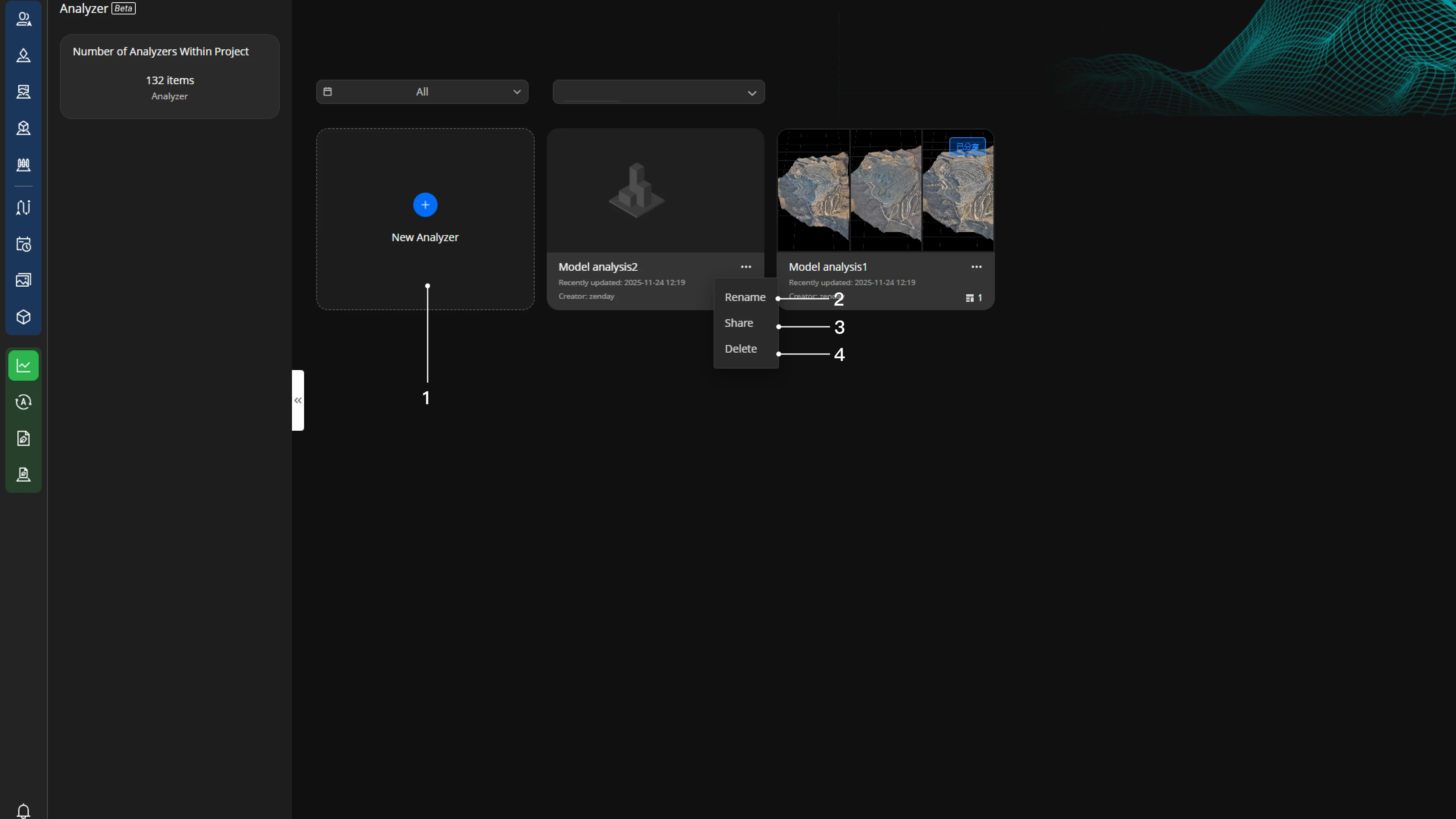
Project members can click
 and enter the analyzer name to create an analyzer;
Project members can click
 and select rename to edit the analyzer name;
Project members can click
and select 'Delete' to delete this analyzer;Project members can click
,select Share to share this analyzer.
- Notes:
- Supports creating, renaming, deleting, and sharing analyzers within the project;
- Click on the analyzer card to enter the analyzer.
Analyzer Sharing
Enable:
Click on the analyzer card to enter the analyzer. Then click Share in the top right corner to share the analyzer.
Sharing Settings:
Set a sharing password.
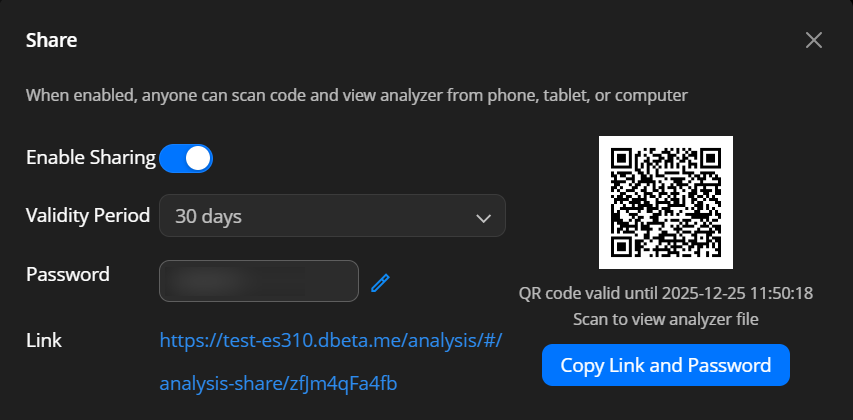
Sharing Page:
Supports switching models, refreshing measurement results, and viewing media file and model timelines.Editing is not supported temporarily.
Both organization and project members can scan the QR code via mobile devices to view this analyzer directly.