
Project User Role Management
Project user role management allows for detailed control of member permissions within a project by assigning various permissions to different user types. FlightHub 2 presets five user roles: Project Admin, Project Member, Project Output Admin, Project Device Operator, and Project Device Admin.
Among them, Project Admin and Project Member are system default user roles that cannot be deleted or modified. Temporary members joining the project within the organization will also be authorized as project members by default. The remaining three user roles are example user roles that can be modified or deleted according to actual needs. New user roles can also be created as needed to meet management requirements.
Specifically, the organization super admin and organization admin can edit the detailed settings of any project on the project list page. However, accessing detailed project settings within the project requires members to have the Edit Project permission for that project.
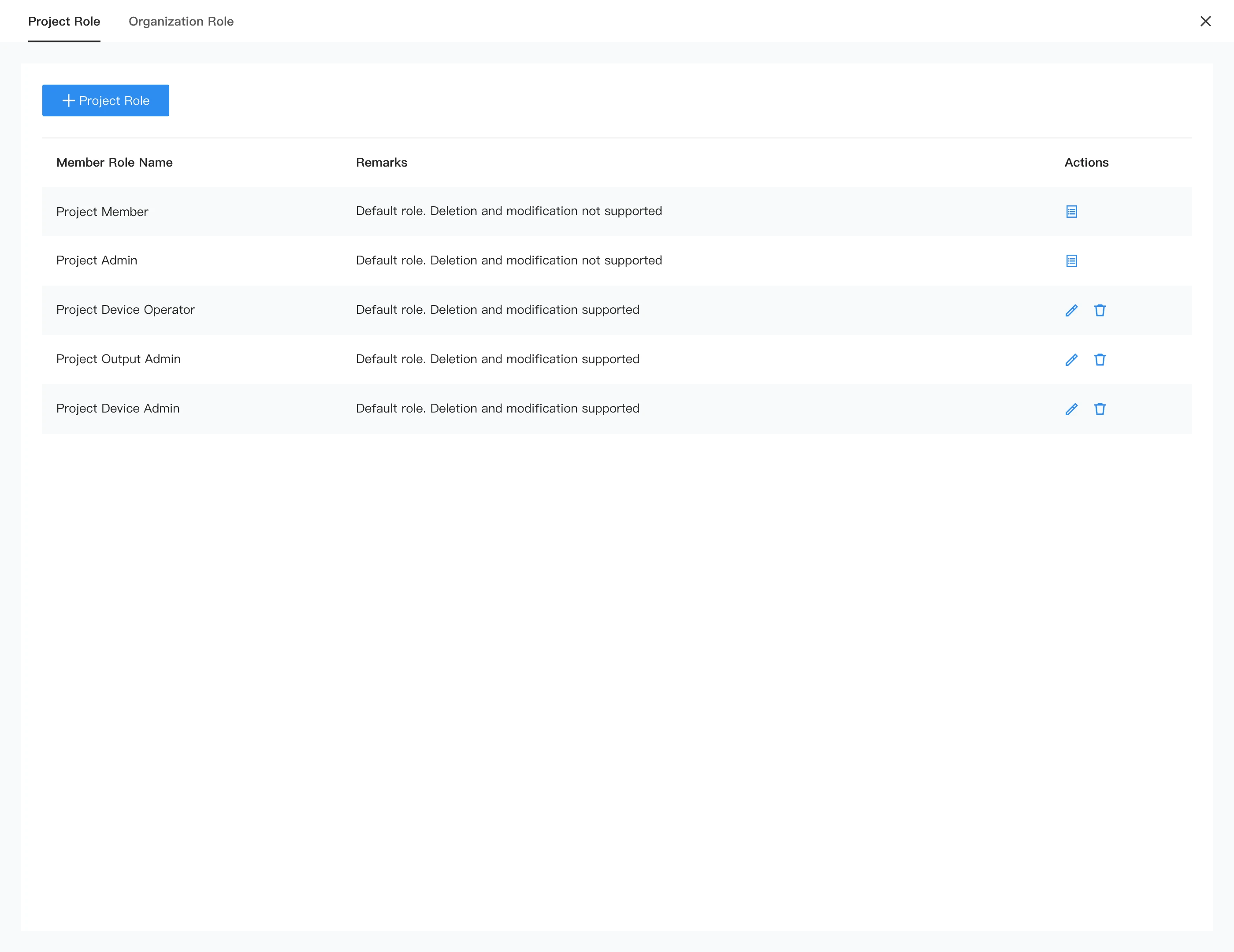
Add and Modify Project User Roles
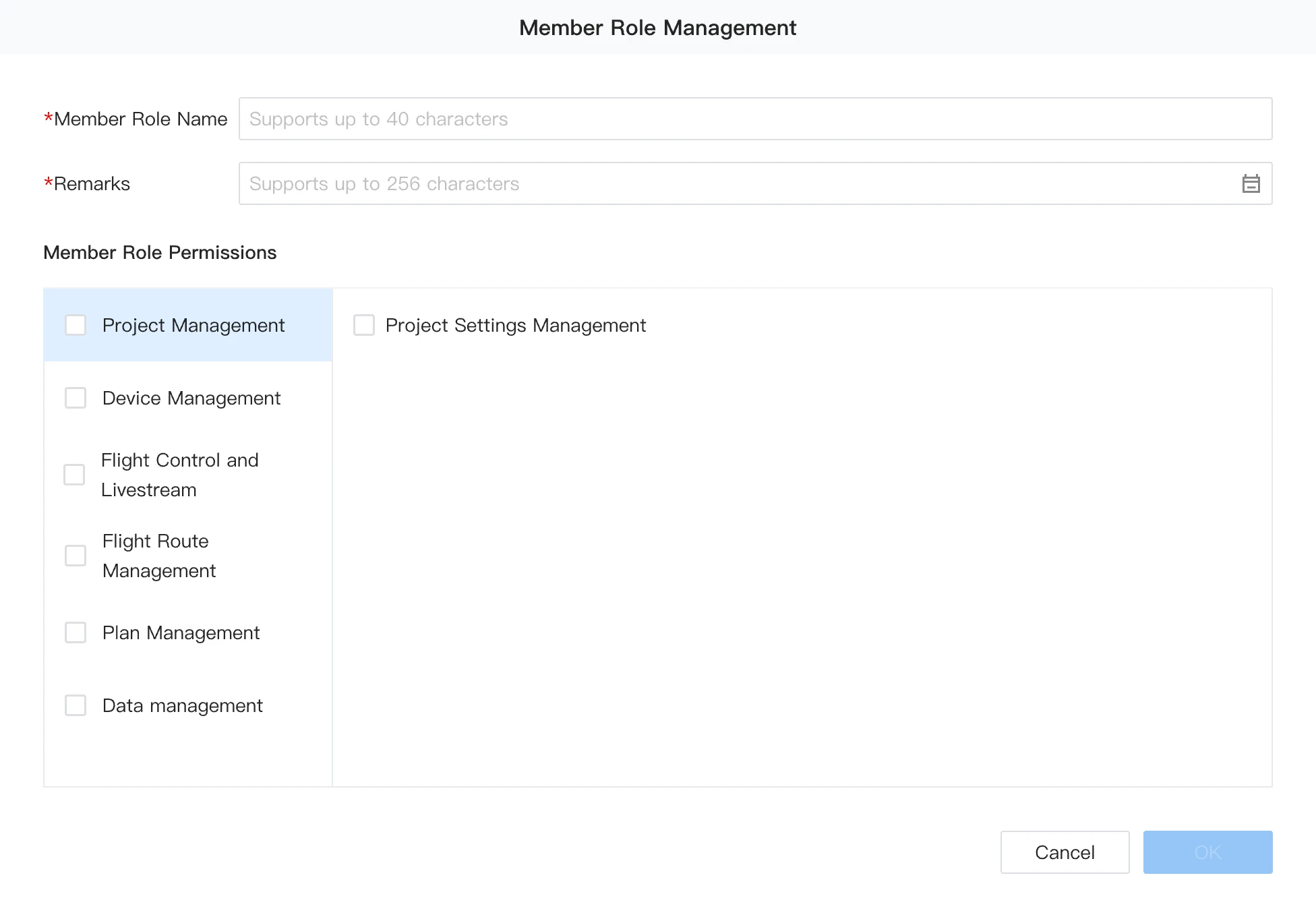
- When creating and modifying user roles, the user role name and remarks are required fields. It is recommended to accurately describe the remarks for future management.
- Pre-permission: Some feature permissions depend on other permissions to function properly. When enabling the corresponding permissions, pre-permissions will be enabled first to ensure the feature functions properly. For example, the pre-permissions for Plan Management are: Flight Route Management - Create Flight Route, Flight Route Management - Delete Flight Route, Flight Route Management - View Flight Route, Device Management - View Device Details, and Data Viewing and Management - Upload or Create Media.
- Basic Permissions: Basic permissions are the most fundamental permissions at the current permission level. Before enabling peer-level or subordinate-level permissions, basic permissions must be enabled. For example, the basic permission required to enable Delete Media is View Media.
Project User Role Assignment and Settings
The permission to enter the project settings interface is: Project Management > Edit Project. Organization super admins and organization admins can enter the settings interface of any project without project-specific permissions.
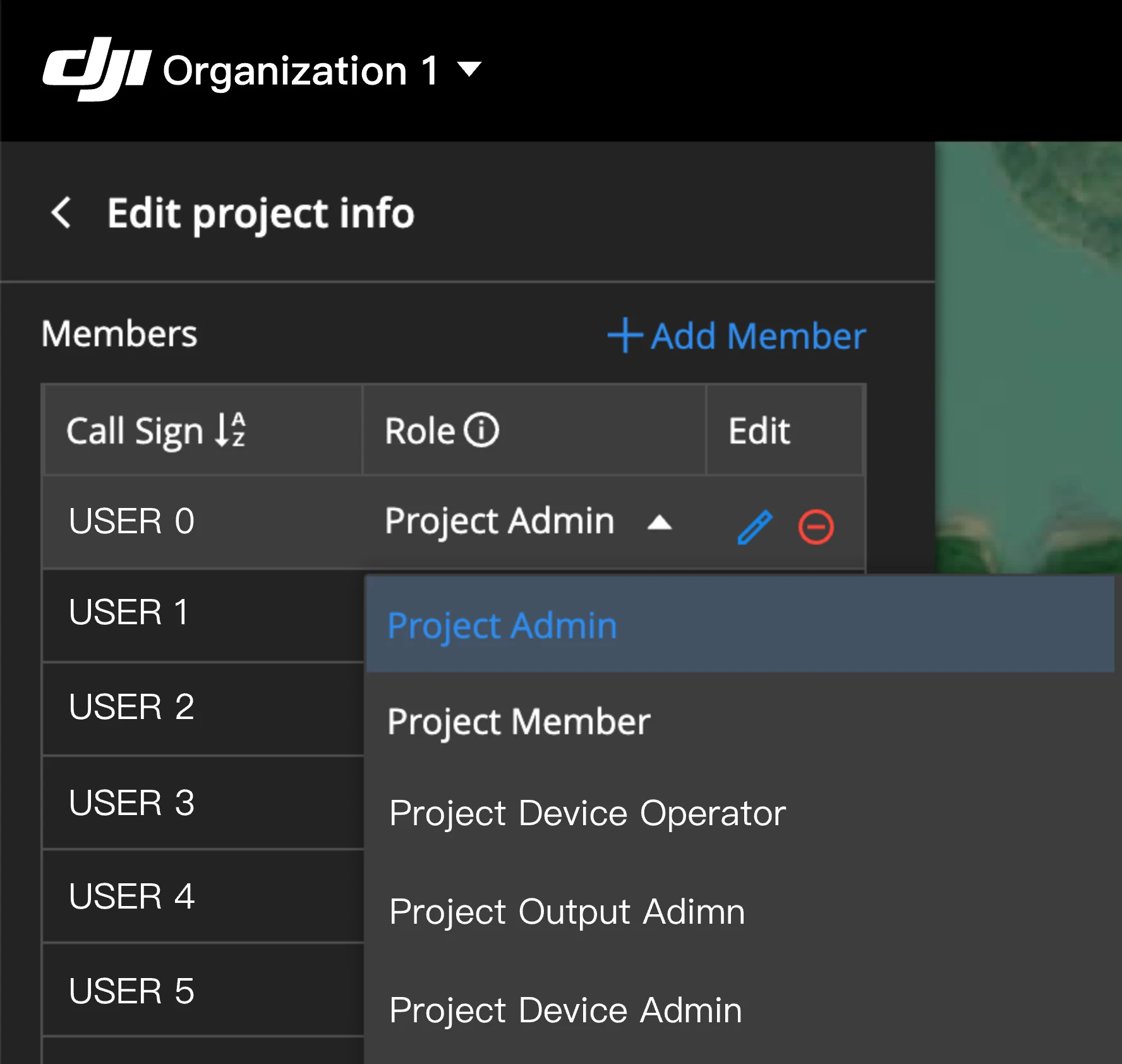
After defining the project user roles on the Members page, you can assign these user roles to members within the project settings
Delete Project User Role
Deleting removable user roles within the project will cause all users assigned to that user role to exit the project. Please proceed with caution.