
Edit Patrol Routes
The patrol flight route supports automatic flight route planning within a specified area for specific subject recognition and alerts. Compared to Smart Capture in waypoint routes, patrol flight route planning is more convenient and offers a more intuitive recognition area. However, flexibility is relatively reduced.
Flight Route Planning
- Plan Recognition Area
Click on the map and draw a recognition area. Once the area is determined, a patrol flight route will automatically be generated.

- Adjust Flight Route Parameters
Smart Capture Alerts:
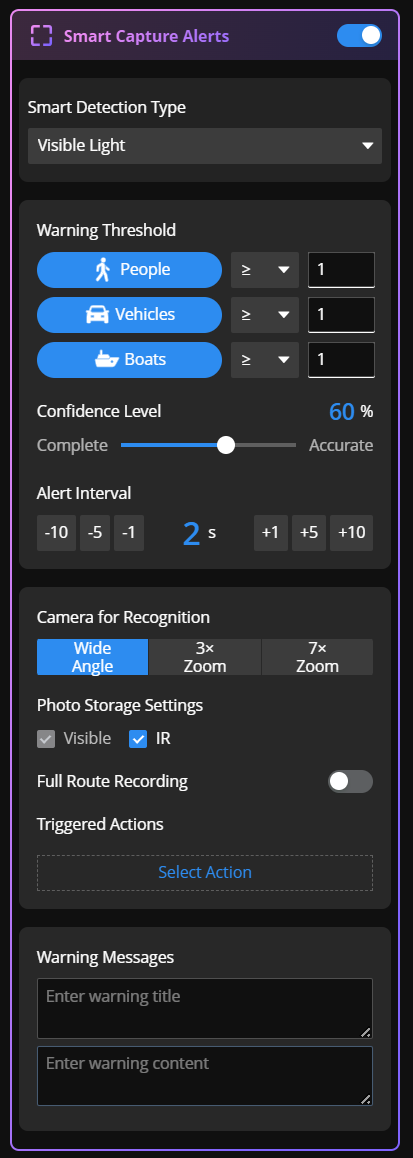
The patrol flight route enables Smart Capture for people by default, with options to enable recognition for vehicles and boats. The recommended altitude varies for different subjects. Please pay attention to the altitude range prompt after adjusting the recognition subject to avoid reduced recognition rates.
For configuration details of visible light and infrared recognition, refer to: Edit Waypoint Routes > Visible Light Recognition Configuration.
After disabling the Smart Capture alert function, the flight route will not automatically search for and recognize subjects. This is suitable for manual recognition scenarios.
Other Parameters:
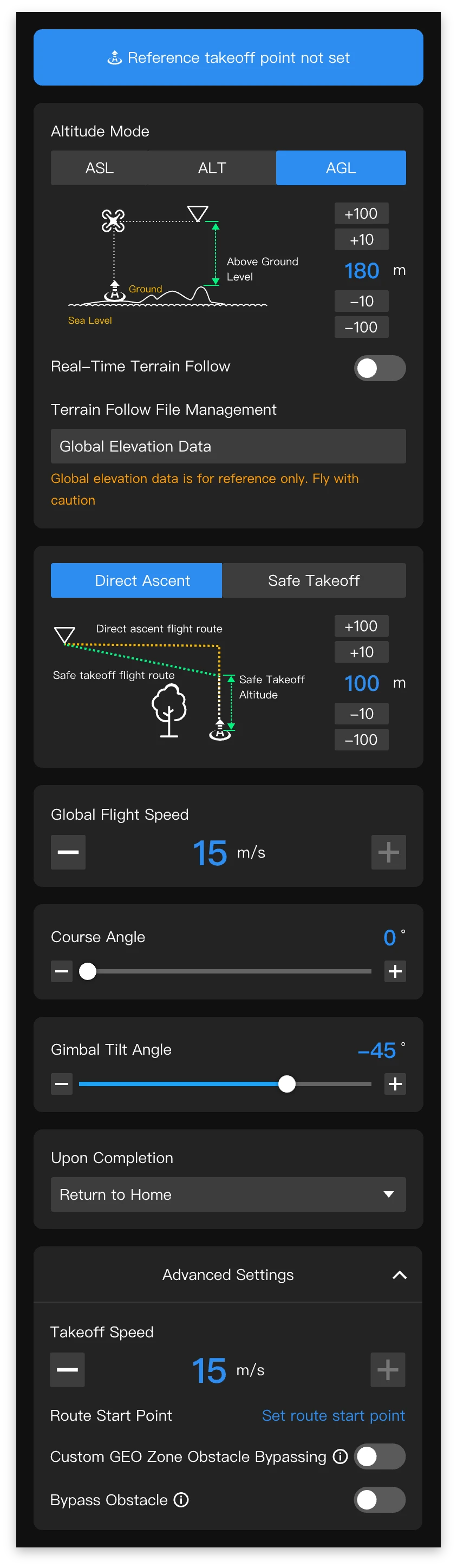
For specific flight route parameters, refer to: Edit Area Routes.
The optimal gimbal angle varies for different recognition subjects. Please pay attention to relevant prompts to avoid using gimbal angles beyond the recommended range, which may decrease recognition rates.