
Organization Settings
Click  in the My Organization list to enter the Organization Settings page.
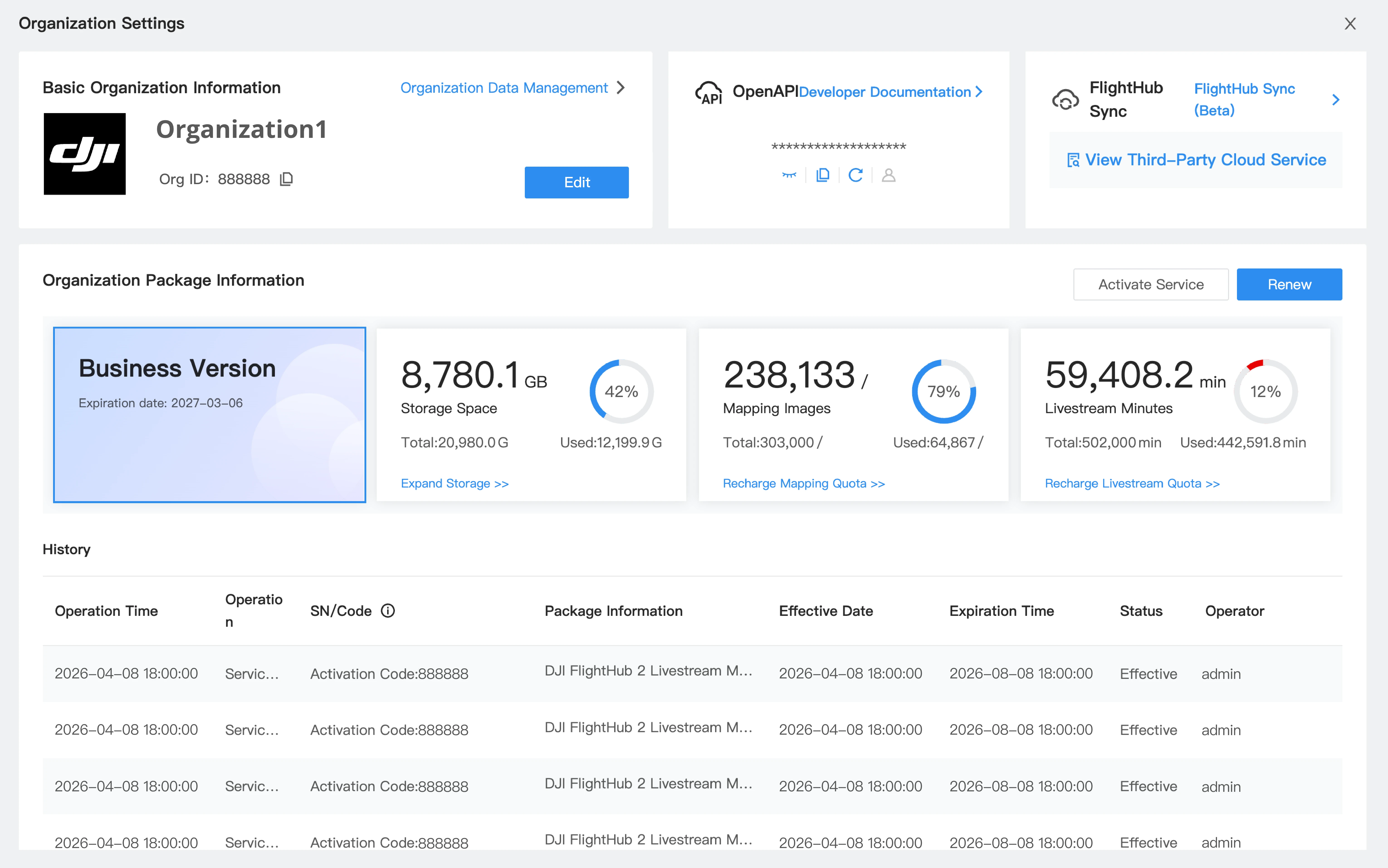
- Organization Basic Information: Edit the organization name and logo, set measurement and temperature units, configure Two-Factor Authentication for Login, and view and manage organization data.
- OpenAPI: View and generate keys, and access the developer documentation.
- FlightHub Sync: View and add FlightHub Sync services.
- Organization Package Information: View package information, and activate or upgrade services.
Organization Basic Information
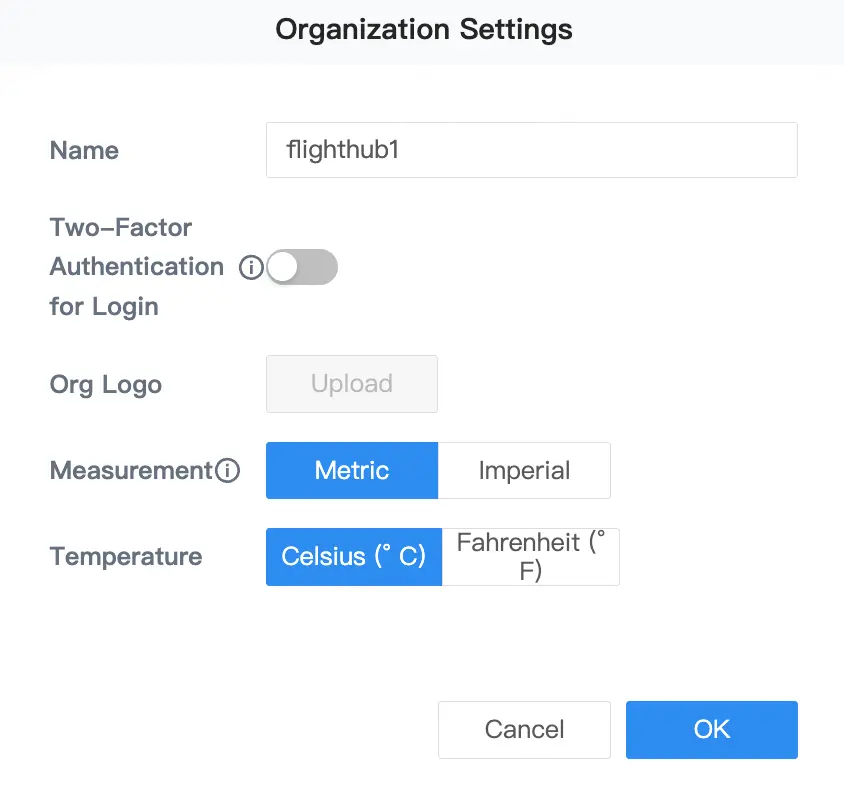
- Edit the organization name and upload a logo.
- Change the measurement units to metric or imperial.
- Change the temperature units to Celsius (℃) or Fahrenheit (℉).
Note: The Standard package does not support changing the organization logo.
Two-Factor Authentication for Login
Enable Two-Factor Authentication for Login to enhance the security of FlightHub accounts.
The super admin can click "My Organization > Organization Settings > Organization Basic Information > Edit button" to enable Two-Factor Authentication for Login.
Once enabled, organization members must enter a dynamic code to complete two-factor authentication when logging in to FlightHub.
Organization Data Management
Click "Organization Data Management" on the "Organization Basic Information" card to configure fixed-domain access, report flight data to airspace management service providers, configure the User Experience Improvement Program, and authorize flight records.
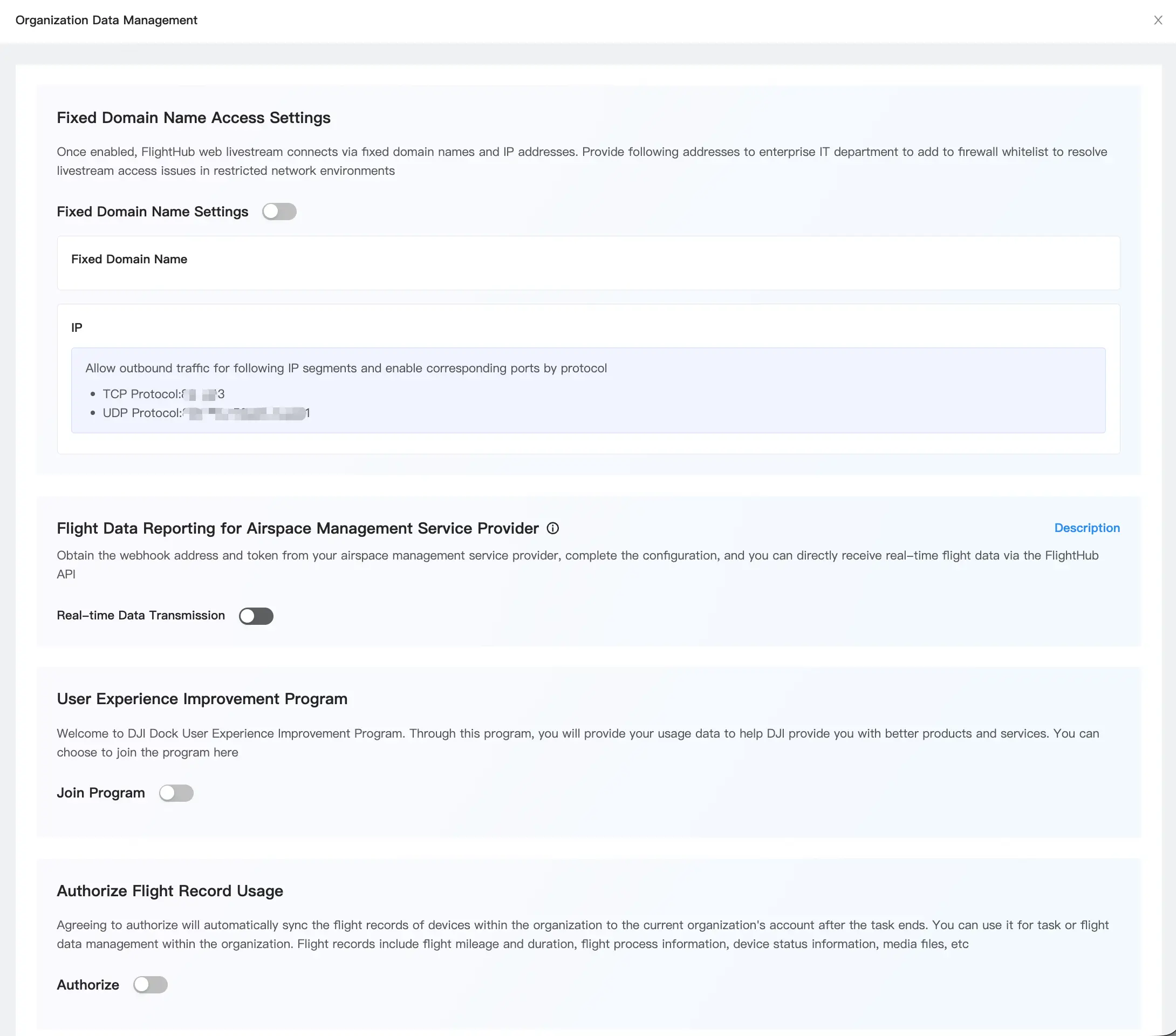
For instructions on configuring flight data reporting to airspace management service providers, see Airspace Management.
OpenAPI
Public Cloud OpenAPI V2.0 is an open platform based on RESTful specifications, designed to provide developers with data connectivity and business integration between third-party cloud platforms and the FlightHub 2 public cloud.
Through OpenAPI V2.0, developers can integrate systems using data such as organizations and members, devices, flight tasks, and livestreams to build business applications such as device monitoring, task monitoring, and livestreaming.
Users can view and generate keys on this card and access the developer documentation.
FlightHub Sync
FlightHub Sync supports integration between public or on-premises versions of FlightHub and third-party cloud platforms to synchronize files, streams, device telemetry, and other data.
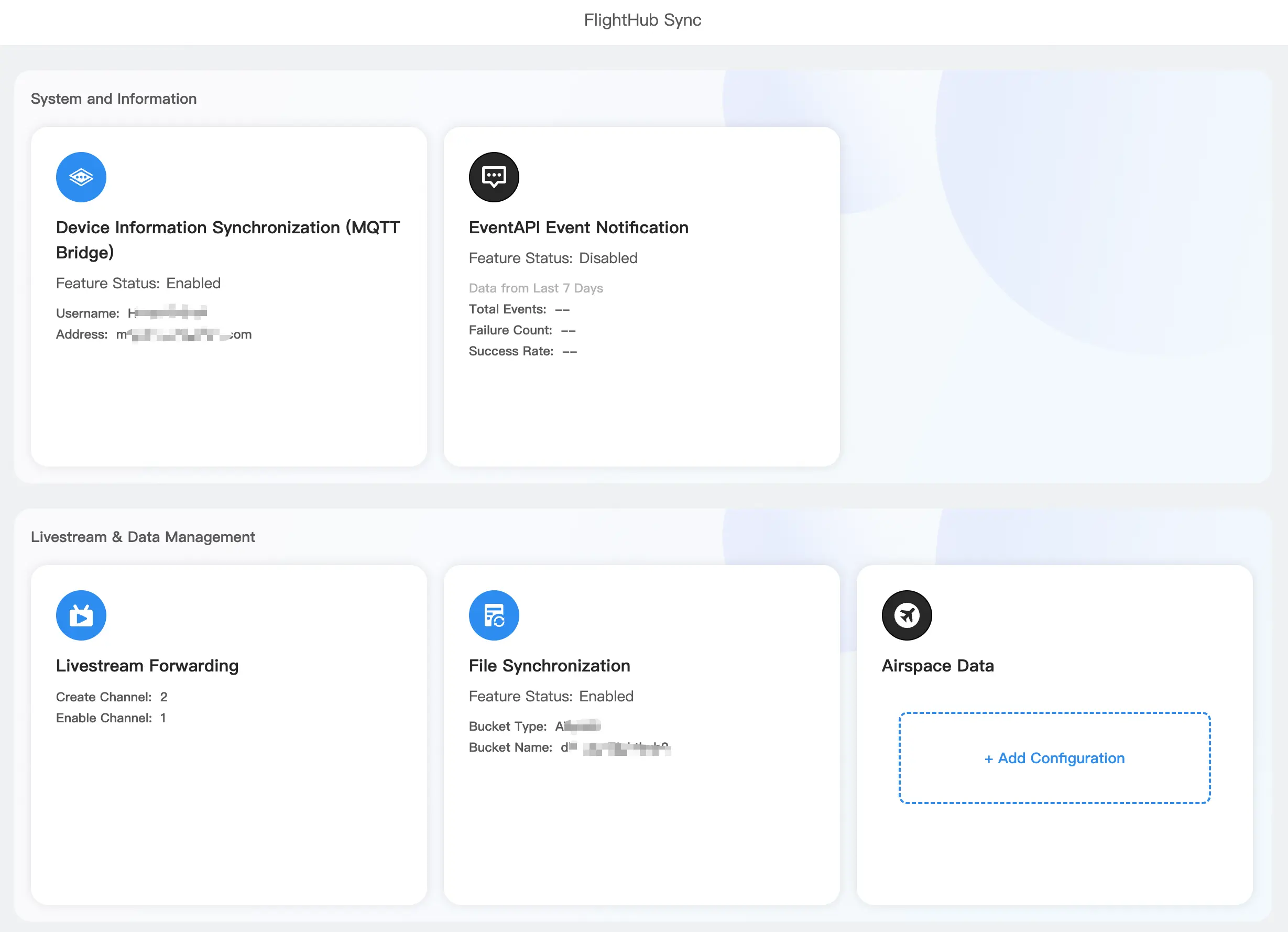
Users can view or add third-party cloud services here:
- Configure device information synchronization (MQTT Bridge). For details, see MQTT Integration.
- View and configure EventAPI event notifications. For details, see EventAPI.
- Livestream Forwarding: Configure livestream forwarding channels, including the channel type and when to start streaming.
- File Synchronization: Configure storage buckets and create project synchronization rules.
- Third-Party Airspace Data: After an external airspace data API Key is linked, external service providers can supply real-time civil passenger aircraft movement data to FlightHub 2.
Note: The legacy "Cloud Interconnect Beta" has been fully upgraded to "FlightHub Sync" and is no longer maintained. We recommend switching to FlightHub Sync.
Organization Package Information
- Package: Displays the package currently used by the organization and its activation records.
- Storage Space: Displays the storage space occupied by each project in the organization. Click the card to view storage space purchase records and usage details.
- Mapping Images: Displays the total number of mapping images used by the organization on a specific day. If mapping fails, the images will be returned. Click the card to view mapping image purchase records and usage details. Download a CSV file to view detailed data, including the specific time, user, project, and model name.
- Livestream Minutes: Displays the total livestream minutes used by the organization on a specific day. Click "Livestream Details" to view detailed data. Export a CSV file containing the specific time, project, livestream type, user, and device used.
- Service Activation: Click to activate services.
- Upgrade: View and purchase upgrade packages.
Note: Resource usage details are only available for data after the release of the November 7, 2024 version. Historical usage data cannot be retrieved.